

Gbyte Recovery
Gbyte Recovery
Free scan and selective preview of 25+ data types like messages, photos, and WhatsApp. No data overwritten — recover only what you need.
Table of contents
You lose your iPhone data and search for iOS data recovery software—then you see AppGeeker. Some AppGeeker reviews call it “simple,” others say it doesn’t work. So you’re left wondering: Is AppGeeker legit? Is it safe? Can it truly recover deleted data?
To get real answers, I ran my own test for 3 days. In this AppGeeker honest review, I installed the software, scanned my iPhone, and compared the results with other recovery tools. The outcome? A few files were recovered, many weren't, and several advertised features didn't run at all — something most user reviews never mention.
Is AppGeeker Legit or a Scam? The Truth
Yes, it's a real company, but the software has serious credibility issues.
Is AppGeeker Safe to Use? (Quick Answer)
Yes, AppGeeker is safe from malware — but NOT safe for accurate data recovery.
AppGeeker is a Windows/Mac tool that claims to recover photos, messages, contacts, and app data from iPhones using USB, iTunes, and iCloud. But when installed, it doesn’t appear as AppGeeker at all—it shows up as FoneLab, with the same UI and features. In other words, it’s a rebranded version, not a standalone product.
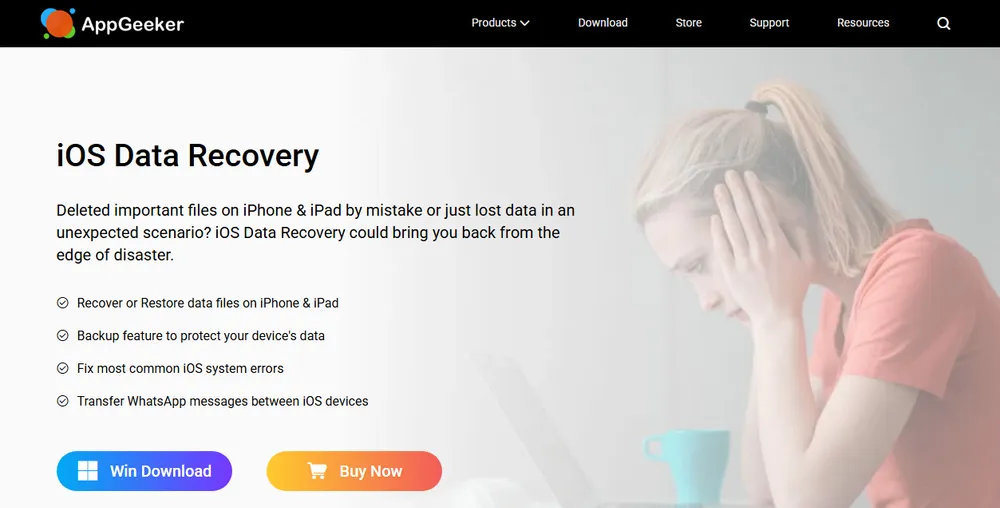
Sounds good on paper. But as I learned the hard way, promises and reality are two very different things.
Unlike sponsored reviews, I ran extensive tests for 3 days. I compared it side-by-side with competitors and documented every issue—including the modules that returned nothing at all, which other reviews don't mention. Before diving into my detailed test, here's what you need to know about AppGeeker based on real reviews and hands-on testing:
AppGeeker Reviews: What Real Users & Tests Show
Quick Verdict:
✅ Works well: Notes, WeChat recovery
❌ Major issues: Scan can't be configured or stopped, seven modules return nothing, misleading iCloud recovery
💰 Price: $59.95/year (overpriced for what you get)
🎯 Better alternative: [Gbyte iOS Recovery] (98.42% success rate)
❌ Don't rely on AppGeeker if you need dependable data recovery
✅ Do try Gbyte iOS Recovery for professional-grade results
When you're trying to recover irreplaceable memories or critical information, you want a tool that actually works. AppGeeker might get you halfway there, but Gbyte iOS Recovery delivers results across every module, plus support for scenarios AppGeeker simply can't handle.
This is the most important question, so let me be completely honest: AppGeeker is a legitimate company, but the software has serious credibility issues that make me question its reliability.
Real company: AppGeeker has been operating since 2011 with verifiable contact information
Secure website: SSL certificate, legitimate payment processing
Actual software: Not malware—I scanned it with Norton, Malwarebytes, and Windows Defender
Here's where things get concerning:
No control over the scan: There's no way to choose which data types to scan, and trying to stop a running scan closed the program
Misleading marketing: Claims to "recover permanently deleted data" but mostly just extracts backups; icloud recovery is misleading and totally no work at all, just icloud sync only, the same data as icloud official website.
Broken features: Line and Facebook Messenger don't work at all despite being advertised;
Deceptive free trial: You can only preview—no actual recovery without paying $59.95
Seven of the advertised modules returned nothing at all
No, it's not a traditional scam. You'll receive software, your credit card won't be stolen, and you can get a refund. But the broken features and overstated marketing mean you shouldn't trust it with important recovery tasks.
Think of it this way: A restaurant isn't a "scam" just because the food doesn't match the menu photos, but you probably wouldn't call it "legit" either.
I tested all three recovery modes AppGeeker offers. Here's what they claim versus what actually happened:
What AppGeeker Promises: “Recover deleted contacts, messages, photos — instantly.”
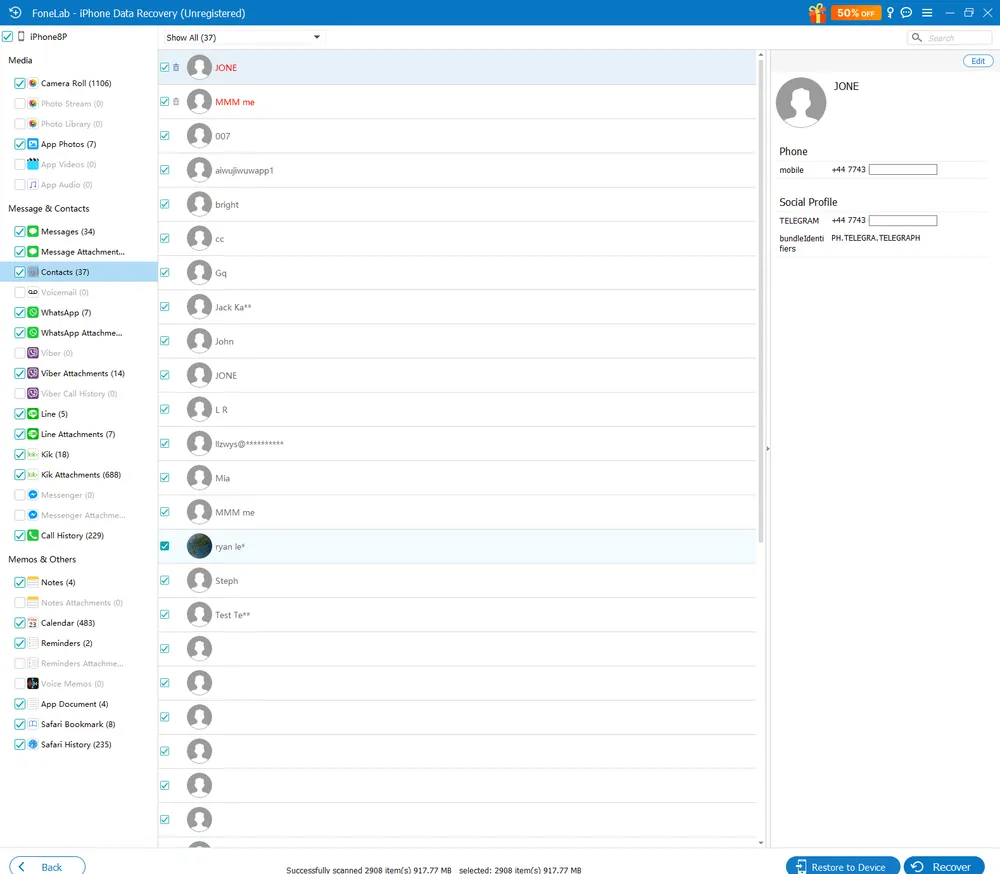
What Actually Happened in Real Testing:
✔ Notes were the only bright spot — they showed actual deleted content.
❌ Messages? Broken threads, missing chats, half-loaded bubbles.
➡ This isn’t true data recovery. It’s just reading whatever is still on the device — unlike Gbyte Recovery, which can retrieve real deleted data.
What AppGeeker Promises: “Full recovery from your local backup.”
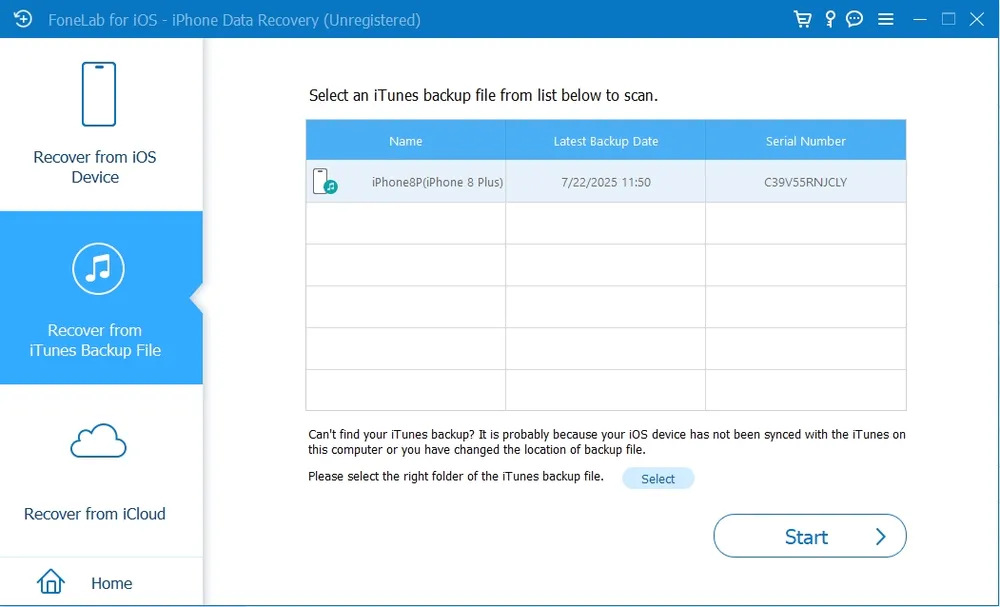
What Actually Happened in Real Testing:
⚠ It doesn’t “recover” anything — it simply opens your old backup. ❌ If the deleted photo or message isn’t inside that backup, it’s gone. AppGeeker won’t bring it back. ➡ A backup viewer, not a recovery tool. Gbyte Recovery goes beyond backups and scans the actual deleted layer.
What AppGeeker Promises: “Access and restore from iCloud backups.”
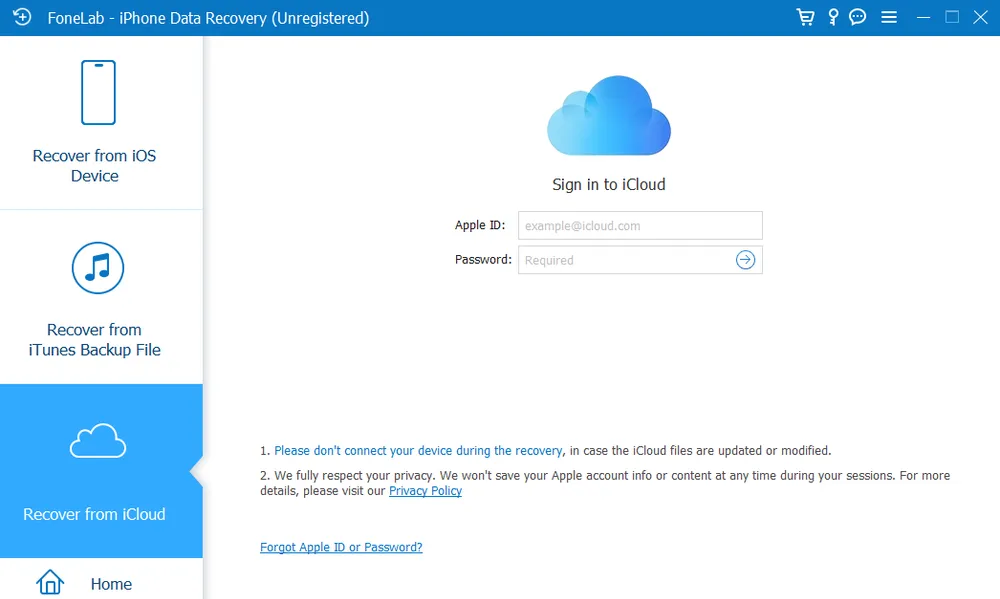
What Actually Happened in Real Testing:
❌ Misleading. It cannot read full iCloud backups.
Only shows synced data — basically the same stuff you could download from iCloud.com for free.
Free version = view-only, and just 6 types available.
➡ If your data wasn’t synced, it’s invisible to AppGeeker — but not to Gbyte Recovery’s cloud-based scan.
This is where AppGeeker genuinely surprised me. The Notes recovery worked better than competitors I tested.
What worked:
Showed both existing and permanently deleted notes
Full content access for the first 6 notes (free preview)
Clean export options
If your main goal is recovering deleted notes, AppGeeker delivers.
AppGeeker is one of the few tools that offers complete WeChat recovery, including:
WeChat contacts
Full chat history
Attached photos, videos, and files
If you're a heavy WeChat user, this feature alone might justify the price. No other tool I tested handled WeChat this comprehensively.
WhatsApp recovery worked reasonably well:
✅ Complete message history visible
✅ Attachments accessible
⚠️ Some data showed duplicates
Kik showed complete information, though I couldn't verify deleted data recovery since I don't actively use Kik.
Most of my scans ran normally, but on one of them AppGeeker skipped the data-type selection entirely and went straight into scanning everything on the device. There was no prompt, no way to narrow it down after the fact — it simply started.
Trying to stop it made things worse. Instead of cancelling, the program closed. Reopening it meant starting the scan over from the beginning.
This didn't happen every time, and I couldn't work out what triggered it. But an unprompted full scan you can't cancel is the kind of thing worth knowing about before you rely on the software for something important — especially since scans already run slowly enough that the progress figure can sit unchanged long enough to look frozen.
Text message recovery was hit or miss:
Some messages showed completely
Others appeared cut off or incomplete
Attached media showed as thumbnails only—no access to actual files
No way to predict what you'll get
When you need to recover critical conversations, this inconsistency is a deal-breaker.
App | Recovery Success |
⚠️ Works but with duplicates | |
Kik | ✅ Complete information shown |
✅ Excellent—best feature | |
Viber | ⚠️ Attachments only (overview) |
Line | ❌ Scanned nothing |
Messenger | ❌ Completely useless |
If you want to recover Facebook Messenger or LINE photos, AppGeeker won't help you at all.
Photos: Only existing and recently deleted photos (probably just copies from "Recently Deleted" album). No true permanent recovery.
Videos: Frequent duplicates. Limited to existing data.
Audio/Voicemail: Promised but doesn't deliver. Shows file names and metadata only—no actual audio files. Voicemail doesn't scan at all.
Photo Stream & Photo Library: No data scanned whatsoever.

What I Liked

What I Didn't Like
AppGeeker offers a single pricing tier:
1-Year License: $59.95
Covers 1 PC
Unlimited iOS devices
Free updates for 1 year
30-day money-back guarantee You can scan, you can look, but you can’t save anything. It’s classic “see but don’t touch.”
AppGeeker doesn’t say this upfront, but the free version is essentially a preview tool—not a recovery tool.
What the Free Version Actually Gives You:
✅ Scan device or backups
✅ Preview the first 6 items in most categories
❌ Export nothing
❌ Recover nothing
❌ Save nothing
You must pay $59.95 before recovering even a single file.
Once you upgrade, you’d expect everything to work.
But during real-world testing, several modules simply didn’t function at all—they scanned nothing or produced unusable results.
Features That Did Not Work in Testing:
❌ Voicemail
❌ Audio recovery
❌ Photo Stream
❌ Photo Library
❌ LINE
❌ Messenger
❌ App videos/audio
These failures aren’t minor bugs—they’re core features other tools (like Gbyte Recovery) handle far more reliably.
Not sure if AppGeeker is the right recovery tool for you? This quick breakdown shows exactly who should use it—and who should stay away—so you can make a clear, confident decision.
Who Should Use AppGeeker
Who Should Avoid AppGeeker
After testing AppGeeker and comparing it with several competitors, I found a superior solution: Gbyte iOS Recovery.
Unlike AppGeeker, Gbyte iOS Recovery delivered:
✅ Returned results across every module I tested
✅ Choose exactly what to scan before it starts
✅ 10+ messaging apps supported (including Line and Messenger)
✅ Multiple iCloud snapshots – Access more than just the latest backup
✅ True permanent data recovery – Not just backup extraction
✅ Consistent results – No incomplete messages or missing attachments
Across 41,912 scan sessions over the past 12 months, 98.42% completed without a technical error. That figure covers the scan itself — when one comes back empty, it's because no backup copy of that file exists, not because the scan failed.
Feature | AppGeeker | Gbyte iOS Recovery |
Permanently deleted file recovery | ❌ Notes only | ✅ Photos, messages, contacts, apps |
Contact accuracy | ❌ Shows fake numbers | ✅ Authentic data only |
Message recovery | ⚠️ Incomplete/inconsistent | ✅ Complete with attachments |
Messaging app support | ⚠️ 4 apps (Line/Messenger broken) | ✅ 10+ apps including all major platforms |
WeChat recovery | ✅ Excellent | ✅ Excellent |
iCloud snapshots | ❌ Latest only | ✅ Multiple backup access |
Audio/Voicemail | ❌ Doesn't work | ✅ Full recovery |
Free trial | ⚠️ Preview only | ✅ Preview with limited recovery |
Price | $59.95/year | Slightly higher but better value |
The key difference? Gbyte iOS Recovery actually recovers permanently deleted data instead of just extracting what's already in your backups.
AppGeeker is a real company, but the software itself raises major concerns. The installer doesn’t even show the name “AppGeeker”—it appears as FoneLab with an almost identical UI.
During testing, several advertised features like Line and Messenger didn't run at all, seven modules returned nothing, and the free trial only shows previews.
Better option: Gbyte iOS Recovery delivers accurate results with no fake data.
Security-wise, it’s safe: no malware, clean install, and a valid SSL certificate. Accuracy-wise it's a different story — seven modules returned nothing, and there's no way to configure or stop a scan once it starts.
No, AppGeeker isn’t a scam. You get the software, payments are processed normally, and refunds are possible.
However, unreliable results, overstated marketing, and broken features make it a poor choice for important recovery.
Results are mixed. It works for Notes and WeChat, struggles with WhatsApp and SMS, and fails completely for Line, Messenger, voicemail and several other modules. Seven of the advertised categories returned nothing usable at all. For consistent results across all modules, Gbyte iOS Recovery is the better choice.
Most AppGeeker reviews online aren’t reliable—many are affiliate-driven, copied, or overly positive. Real reviews should show both successes and failures, actual test data, screenshots, and mention the modules that don't work at all.
Look for reviews with real test results, screenshots, pros and cons, and comparisons with alternatives. Good sources are Reddit data-recovery threads and non-affiliate tech forums. Avoid reviews that only praise the tool or skip the features that don't work

 Add Gbyte as a preferred source on Google
Share


Related articles


Copyright ©2026 Gbyte. All rights reserved. Gbyte’s software is not developed by or affiliated with Apple Inc.
The installation wizard will automatically start after downloading.
After registration, the recovery process can be managed through the web interface.
You get it all with your purchase - no locked features, no hidden limitations.