

Gbyte Unlock

Gbyte Unlock
Safely remove any iPhone/iPad screen lock in a few clicks.
Table of contents
Quick Overview
I tested EaseUS MobiUnlock to see whether it could actually handle common iPhone lock situations in real-world scenarios. During my testing, it successfully removed the screen passcode and Apple ID from my test device. However, features like Activation Lock removal come with stricter requirements and limitations.
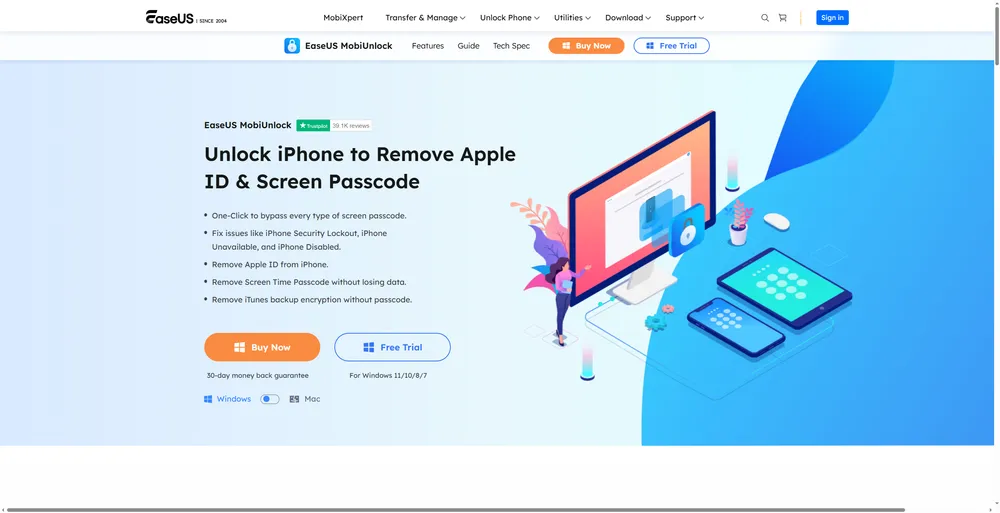
Before testing EaseUS MobiUnlock myself, I first checked what the software promised to offer. Like most iPhone unlock tools, EaseUS highlights multiple unlocking scenarios, but the actual experience can be different from what is shown on the feature page.
Feature | EaseUS Claims | My Test Results |
Screen Passcode Removal | Remove forgotten iPhone passcodes | Successfully removed the screen passcode on my test device |
Apple ID Removal | Remove Apple ID without password | Worked as expected, but requires specific device conditions |
iCloud Activation Lock Removal | Help users bypass Activation Lock in supported cases | Did not work on my test device — the Activation Lock screen returned after the process |
Item | Details |
Software Tested | EaseUS MobiUnlock |
Device Tested | iPhone 13 Pro |
iOS Version | iOS 26.5.2 |
Computer System | Windows 11 |
Tested Features | Screen Passcode Removal, Apple ID Removal, Activation Lock Bypass |
Test Date | September 2, 2026 |
Result | Detail |
Firmware download | 9 min |
Passcode removal | 10 min |
Total time | 19 min |
Outcome | Passcode removed successfully; device reset to factory settings |
The main reason users turn to tools like EaseUS MobiUnlock is to regain access to an iPhone when they forget the screen passcode. To see how well it performs in a real situation, I tested its screen passcode removal feature on a locked iPhone.
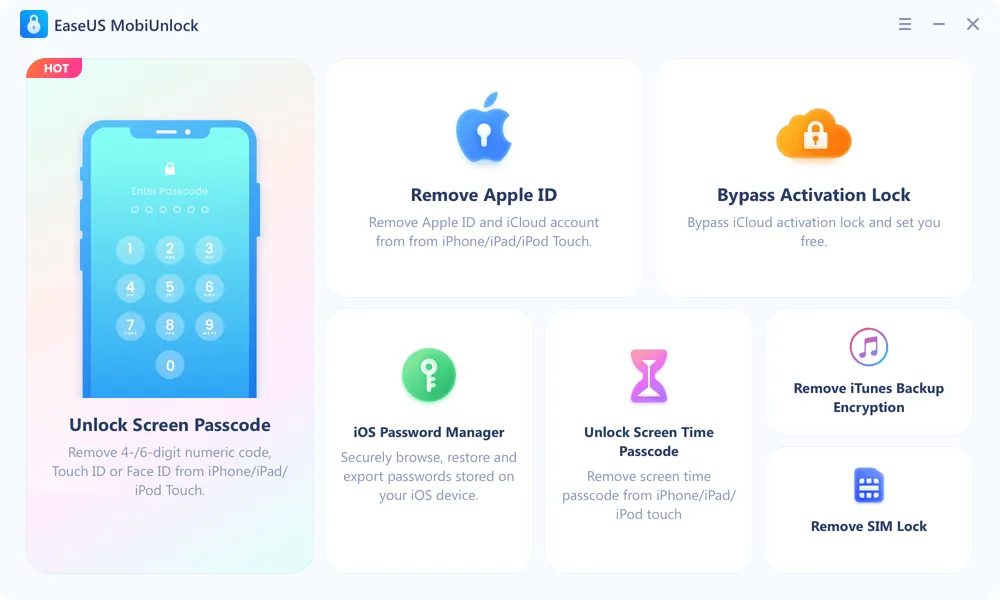
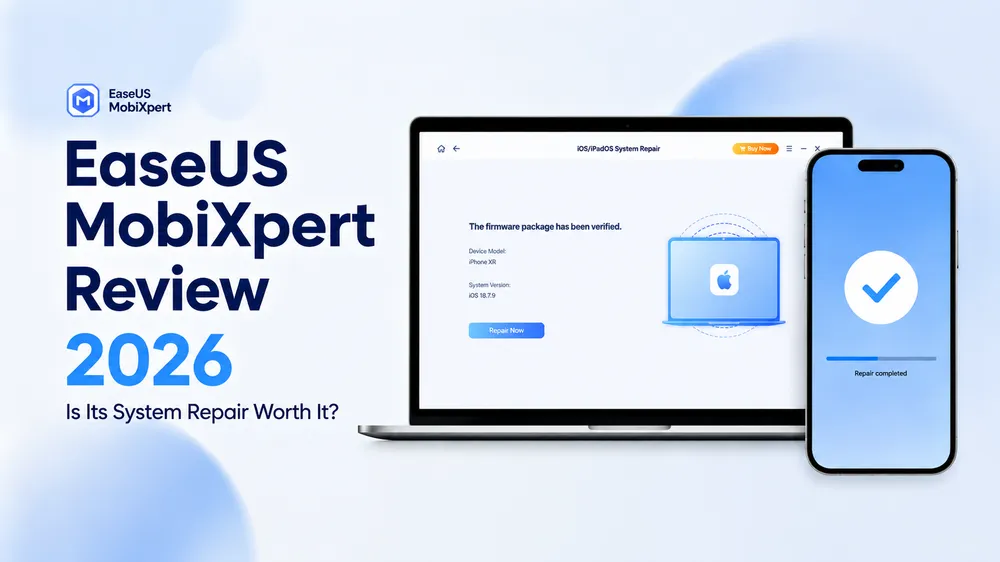
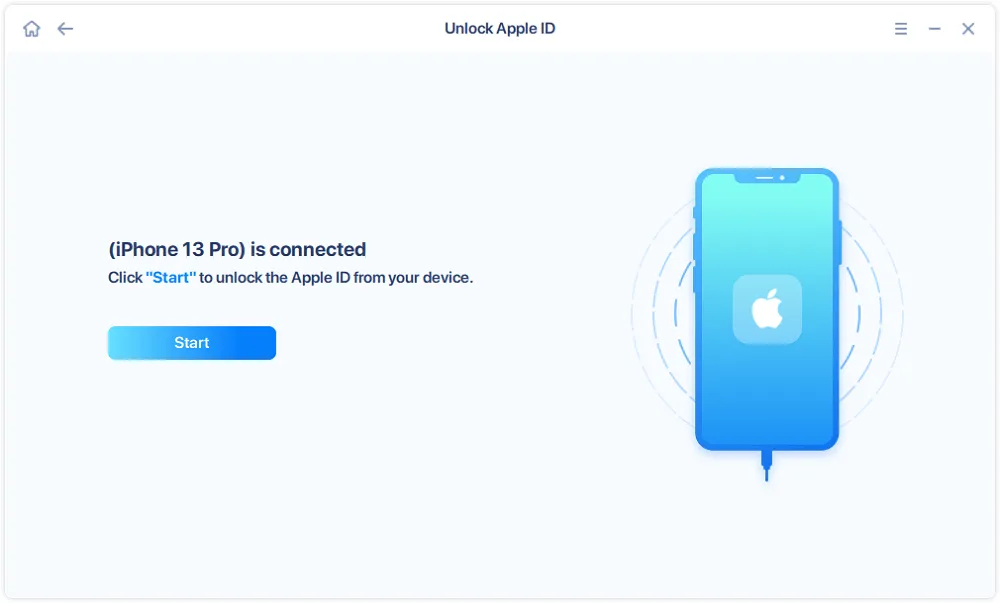
After connecting the device to my computer, EaseUS MobiUnlock quickly recognized the iPhone and guided me into Recovery Mode. The software then downloaded and verified the required firmware package before starting the unlocking process.
The firmware download was the longest part of the process, which is expected because iPhone firmware files usually require several gigabytes of storage. Once the verification was completed, EaseUS started removing the screen passcode.
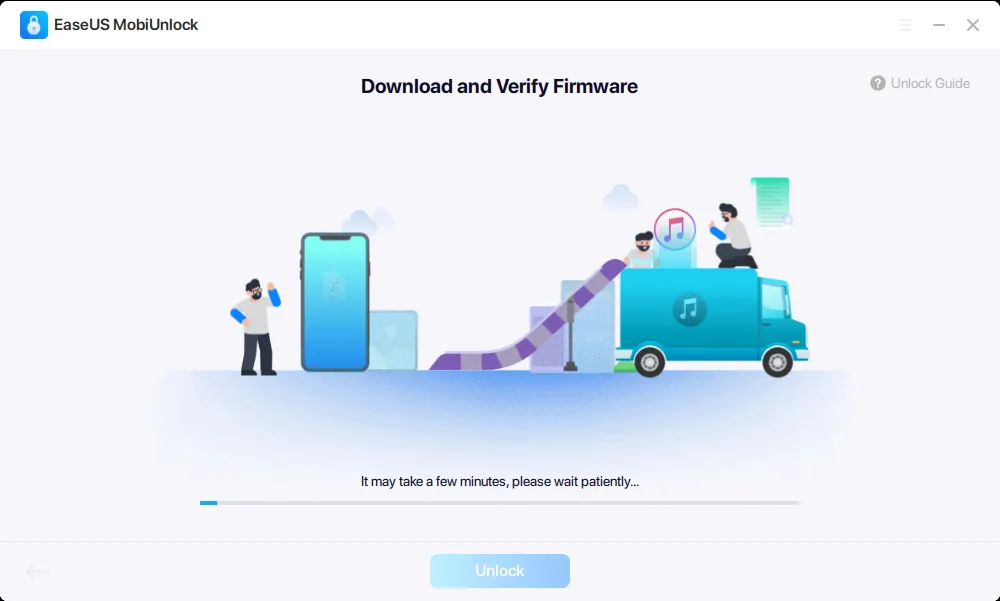
Overall, the workflow was straightforward and easy to follow. The software successfully completed the unlock process, allowing me to regain access to the device.
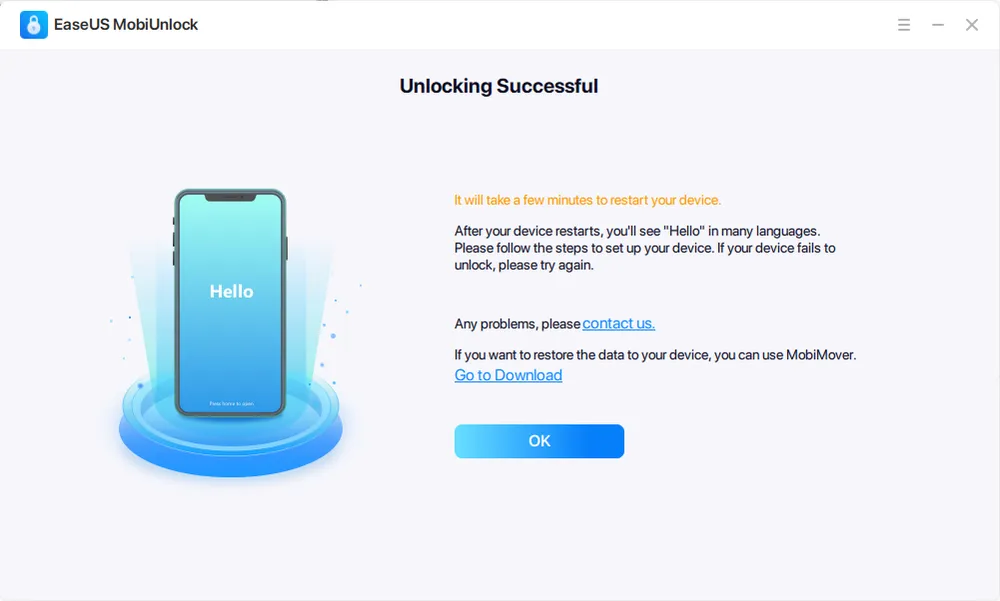
Another feature I wanted to test was Apple ID removal. This is a common scenario for users who purchase second-hand iPhones or lose access to the Apple ID previously linked to their device.
For this test, I used a previously owned iPhone that was still connected to an Apple ID. After selecting the Remove Apple ID option, EaseUS MobiUnlock guided me through the preparation process before starting the unlock.
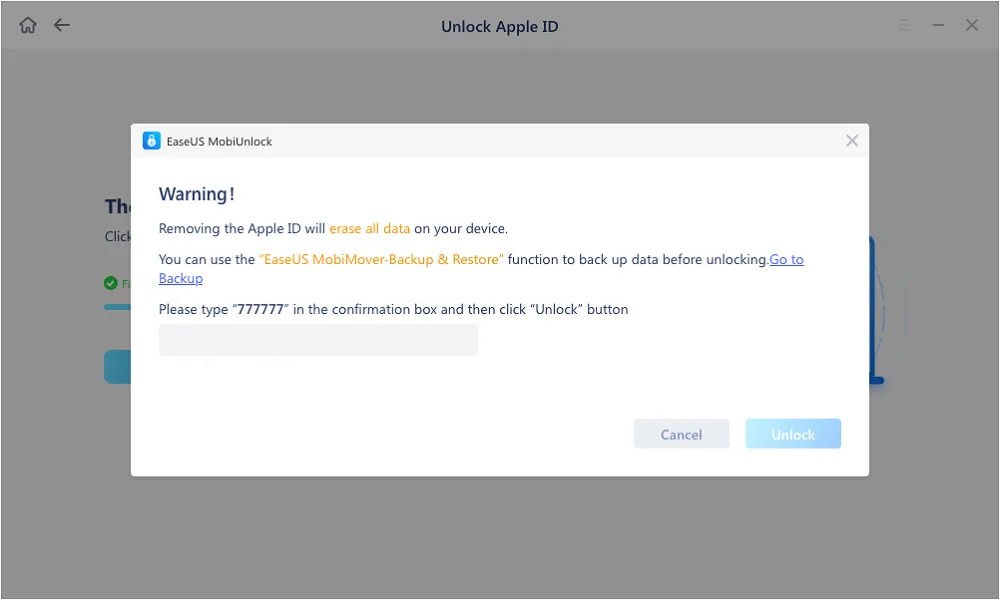
After the firmware package was downloaded and verified, EaseUS displayed a confirmation window asking me to enter 777777 before continuing with the removal process.
After entering the code, the software continued with the Apple ID removal process.
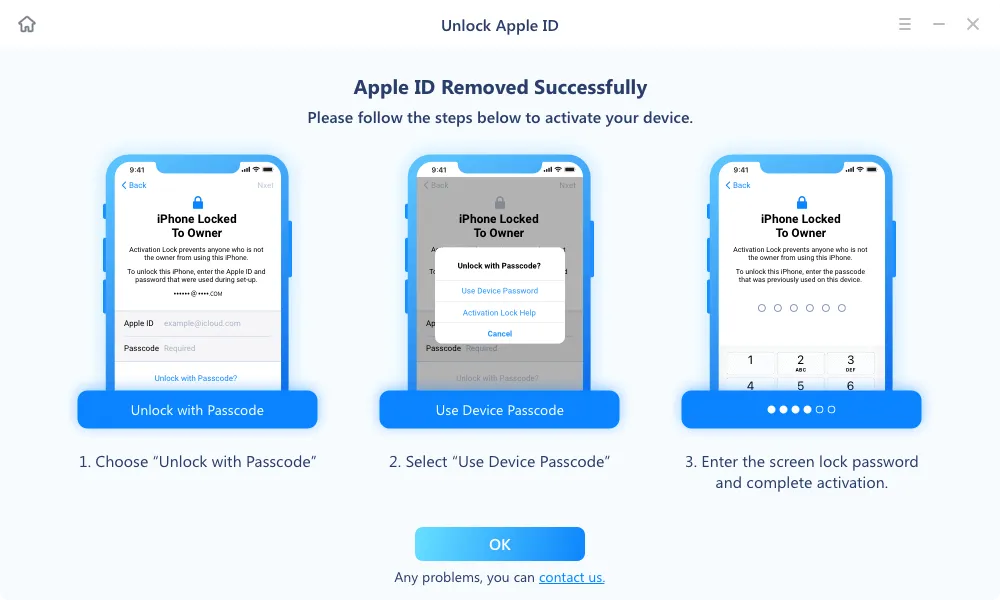
One limitation I noticed during testing is that Apple ID removal is not the same as removing all activation-related restrictions. The final result depends on factors such as the device status, iOS version, and whether security features like Find My iPhone are enabled.
For users dealing with a second-hand iPhone, it is also important to understand that removing an Apple ID does not always guarantee a completely unrestricted setup experience.
Overall, EaseUS handled the Apple ID removal process smoothly in my test, but this feature requires users to understand the difference between removing an account and removing activation restrictions.
After testing Apple ID removal, I also looked at EaseUS MobiUnlock’s iCloud Activation Lock feature.
Unlike a forgotten screen passcode, Activation Lock is directly connected to Apple’s security system. It is designed to prevent anyone from reactivating a lost or stolen device without the original Apple Account.
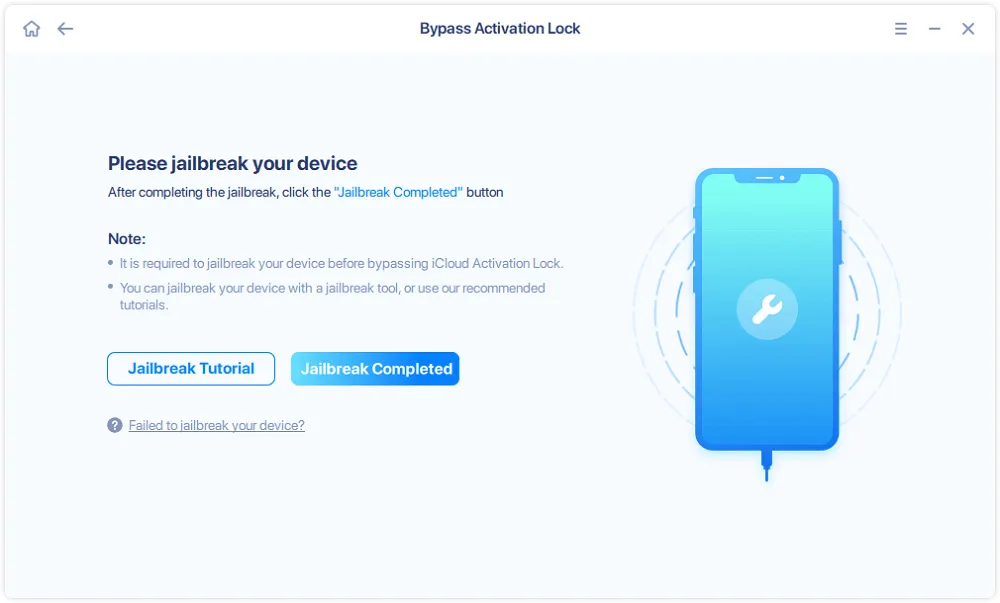
During testing, I found that this feature comes with much stricter requirements compared with standard passcode removal.
The biggest limitation is that the device needs to be jailbroken before the Activation Lock bypass process can begin. EaseUS also limits this feature to certain older iPhone models and iOS versions, which means many newer devices may not be supported.
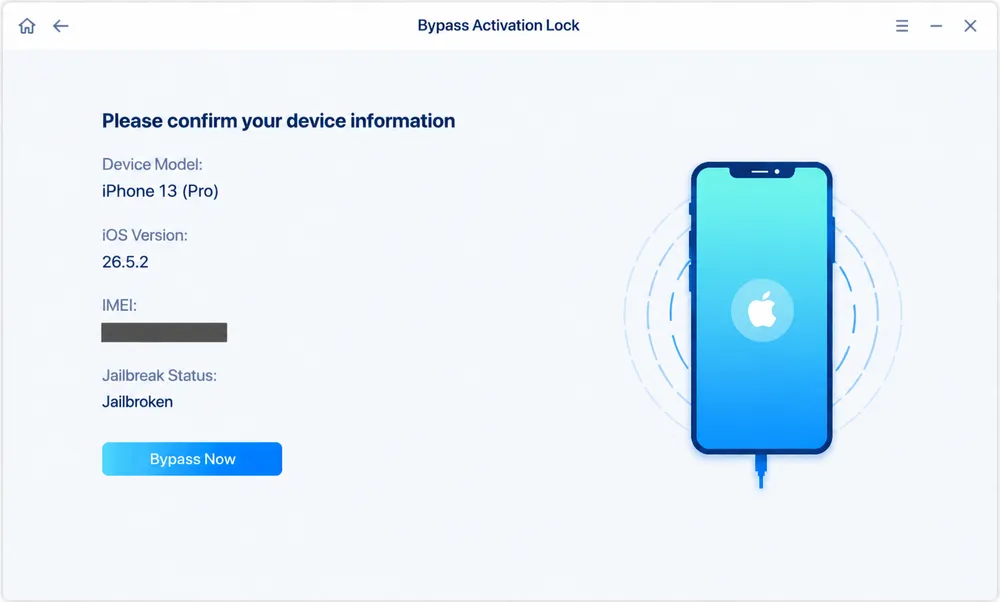
Another important thing to know is that bypassing Activation Lock does not restore full iPhone functionality. According to EaseUS, devices bypassed through this method may not support features such as phone calls, text messages, or signing in with a new iCloud account.
Because of these limitations, I would consider Activation Lock bypass a solution for specific situations rather than a universal unlocking method.
After testing EaseUS MobiUnlock across different unlocking scenarios, I found that the software performs well in some areas but also has limitations that users should consider before purchasing.

Strengths

Limitations
Based on my testing experience, I rated EaseUS MobiUnlock across the key areas that matter most when choosing an iPhone unlocking tool.
Category | Rating | My Thoughts |
Screen Passcode Removal | ⭐⭐⭐⭐⭐ | Successfully removed the forgotten passcode after firmware verification. |
Apple ID Removal | ⭐⭐⭐⭐ | Worked well, but requires extra confirmation and depends on device conditions. |
iCloud Activation Lock Removal | ⭐⭐⭐ | Useful for specific cases, but limited by jailbreak and device compatibility requirements. |
Ease of Use | ⭐⭐⭐⭐ | Clear guidance throughout the unlocking process. |
Value for Money | ⭐⭐⭐ | Offers multiple features, but may be expensive for one-time users. |
EaseUS MobiUnlock performed well in my testing, especially for screen passcode removal. However, users should carefully consider the limitations of advanced features like Apple ID removal and Activation Lock bypass before purchasing.
EaseUS MobiUnlock currently offers two pricing options. Unlike some iPhone unlocking tools, it does not provide a monthly subscription plan.
Plan | Price | Device Support |
1-Month Plan | $29.95 | Up to 5 mobile devices, 1 license for 1 computer |
Lifetime Plan | $49.95 | Up to 5 mobile devices, 1 license for 1 computer |
Both plans provide access to EaseUS MobiUnlock’s unlocking features, including screen passcode removal and other supported unlocking options. Based on my testing, the software performs well for common unlocking scenarios, but advanced features like Apple ID removal and Activation Lock bypass still come with additional requirements.
For users who only need to unlock an iPhone occasionally, the $29.95 plan may be acceptable. However, if price is an important factor, there are also more affordable alternatives available that provide similar core unlocking functions without requiring a higher upfront cost.
One example is Gbyte Unlock, which focuses on essential iPhone unlocking features while offering a more budget-friendly option for users who mainly need to remove forgotten screen passcodes.
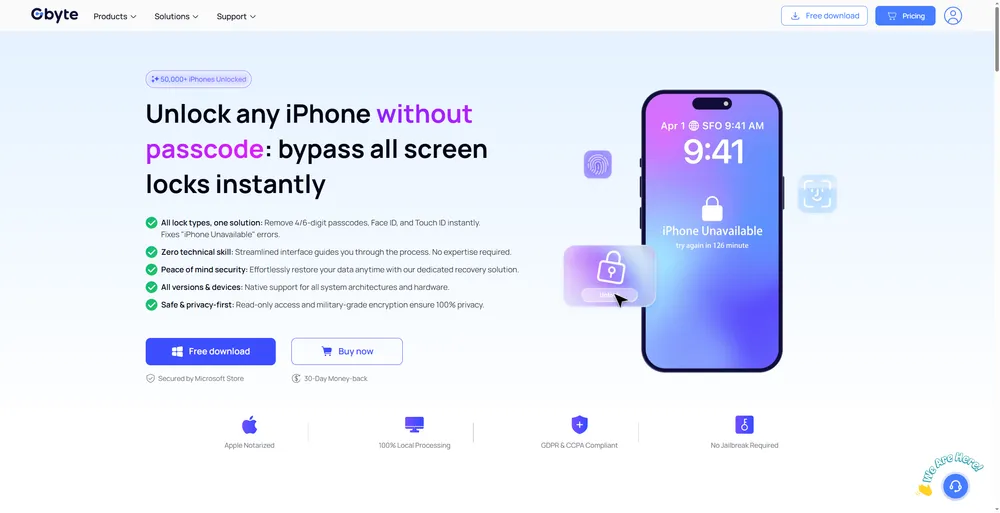
After testing EaseUS MobiUnlock, I found that it is a capable iPhone unlocking tool with multiple features. However, not every user needs all of these options. For users who mainly want to remove a forgotten iPhone screen passcode, a more focused and affordable solution may be a better fit.
EaseUS MobiUnlock | Gbyte Unlock | |
Best For | Users who need multiple unlocking options | Users who mainly need screen passcode removal |
Core Function | 🔓 Multiple iPhone unlocking solutions | 🔓 Focused iPhone passcode unlocking |
Screen Passcode Removal | ✅ Supported | ✅ Supported |
User Experience | ⭐ Guided process with firmware preparation | ⭐ Streamlined unlocking workflow |
Feature Coverage | More unlocking scenarios available | Focuses on essential unlocking needs |
Price | From $29.95 | ⭐From $25.99 |
EaseUS MobiUnlock is a good choice for users who want access to multiple unlocking features in one tool. During my testing, its guided process made the unlocking steps easy to follow, especially when dealing with firmware preparation and device recovery steps.
However, users who only need to remove a forgotten screen passcode may not need all of the additional features included in EaseUS MobiUnlock. In this case, Gbyte Unlock provides a more affordable alternative while focusing on the core unlocking function most users are looking for.
For users who prioritize a wider range of unlocking options, EaseUS MobiUnlock may be worth considering. But if your main goal is to regain access to a locked iPhone without paying for extra features you may not use, Gbyte Unlock offers better value.
EaseUS MobiUnlock delivers a smooth experience for its core purpose — removing forgotten iPhone screen passcodes. The overall process is well-guided, and the software makes it easy for users to follow each step without much technical knowledge.
That said, its advanced unlocking features are not without limitations. Apple ID removal and Activation Lock bypass may require specific device conditions, so users should check compatibility carefully before making a purchase.
For users who need a complete unlocking toolkit, EaseUS MobiUnlock is a solid option. But for those who mainly want to remove an iPhone screen passcode at a lower cost, Gbyte Unlock can be a more budget-friendly choice.
Yes. EaseUS MobiUnlock is generally safe to use when downloaded from the official website. However, most unlocking processes will erase iPhone data, so users should back up important files before starting.
Yes. In my test, EaseUS MobiUnlock successfully removed the forgotten screen passcode. However, some features like Activation Lock removal have additional requirements and limitations.
Yes. Screen passcode removal requires erasing the device. After unlocking, the iPhone will be restored to factory settings.
No. EaseUS MobiUnlock allows users to check compatibility for free, but a paid license is required to unlock an iPhone. Plans start at $29.95.
Popular alternatives to EaseUS MobiUnlock include Gbyte Unlock, Dr.Fone, and 4uKey. Each tool has different pricing and feature focuses, so the best choice depends on your unlocking needs.
 Add Gbyte as a preferred source on Google
Share


Related articles


Copyright ©2026 Gbyte. All rights reserved. Gbyte’s software is not developed by or affiliated with Apple Inc.
The installation wizard will automatically start after downloading.
After registration, the recovery process can be managed through the web interface.
You get it all with your purchase - no locked features, no hidden limitations.