

Gbyte Repair

Gbyte Repair
Fix 150+ iOS issues yourself, no tech skills needed, no data loss
Table of contents
Quick Answer
Choosing an iOS system repair tool can be difficult because most products promise similar features, from fixing Apple logo loops and failed updates to repairing iOS without data loss. The real differences often come down to repair workflow, platform and device support, free features, pricing, and license coverage.
To find out how the leading options compare, I tested five popular iOS system repair tools on real iPhones under the same repair scenarios and also compared their current pricing, device limits, and additional utilities.
Gbyte iOS System Repair is my top pick for most Windows users who want a straightforward repair experience and stronger multi-device value. ReiBoot stands out for broader Apple device support, Dr.Fone for its all-in-one toolkit, Fixppo for its lower-cost lifetime plan and cross-platform availability, and EaseUS for lower monthly and annual pricing.
To make the comparison as consistent as possible, I tested all five iOS system repair tools under the same conditions for each scenario. I created three common iOS system issues on real iPhones, with each issue matched to a specific device and iOS version. Each tool was then tested on the same device and issue before moving to the next scenario.
During testing, I compared device detection, repair workflow, firmware download, data-preserving and data-erasing options, Recovery Mode access, and whether the device returned to normal after repair.
Note: These tests were conducted specifically for this best-list comparison. My individual product reviews may include additional devices, iOS versions, or repair scenarios for a more detailed look at each tool.
Test devices and scenarios
Test Device | iOS Version | Test Scenario |
iPhone 17 | iOS 26.5.2 | Stuck on Apple logo |
iPhone 13 | iOS 18.6 | Recovery mode loop |
iPhone SE (2nd generation) | iOS 17.5 | iOS update failure |
Test environment
Item | Details |
Computer | Windows 10 |
Repair Functions Tested | Standard/data-preserving repair and deeper repair options |
Recovery Mode Access | Enter and exit Recovery Mode |
Testing Date | September 3, 2026 |
Test result: All five tools successfully resolved the three iOS system issues used in this comparison. The biggest differences I found were in repair workflow, free Recovery Mode access, platform and device support, extra utilities, pricing, and license coverage.
The table below shows the key differences between the five tools at a glance.
Item | Gbyte iOS System Repair | Tenorshare ReiBoot | Wondershare Dr.Fone | iMyFone Fixppo | EaseUS MobiXpert |
Best For | Straightforward repair & multi-device value | Established iOS repair tool with broad Apple device support | All-in-one mobile toolkit | Low-cost lifetime plan with cross-platform support | Budget-friendly monthly & annual plans |
Test Result | ✅ Fixed tested issues | ✅ Fixed tested issues | ✅ Fixed tested issues | ✅ Fixed tested issues | ✅ Fixed tested issues |
Repair Workflow | Direct Start Repair flow | Mode-based | Mode-based | Mode-based | Mode-based |
Data-Preserving Repair | ✅ | ✅ | ✅ | ✅ | ✅ |
Free Recovery Mode Entry / Exit | ✅ / ✅ | ✅ / ❌ | ✅ / ❌ | ✅ / ✅ | ✅ / ✅ |
Platform | Windows | Windows / Mac | Windows / Mac | Windows / Mac / Android / iOS app | Windows |
Supported Apple Devices | iPhone / iPad | iPhone / iPad / iPod touch / Apple TV | iPhone / iPad / iPod touch | iPhone / iPad / iPod touch / Apple TV | iPhone / iPad / iPod touch |
Extra Utilities | iOS Upgrade/downgrade, Repair Apple USB Driver | iOS Upgrade/downgrade, data backup & more | Extensive toolkit (with iOS Upgrade/downgrade, data backup & more) | iOS Upgrade/downgrade, data backup & more | iOS Upgrade/downgrade, data backup & more |
Monthly | $24.99 · 5 devices / 1 PC | Win: $24.95 · 5 devices / 1 PC | Win: $24.95 · 5 devices / 2 PCs | $29.99 · 1 device (Basic) | $19.95 · 5 devices / 1 PC |
Annual | $44.99 · 6 devices / 1 PC | Win: $51.95 · 5 devices / 1 PC | Win: $49.95 · 5 devices / 2 PCs | $49.99 · 1 device (Basic) | $39.95 · 5 devices / 1 PC |
Lifetime | $69.99 · 8 devices / 1 PC | Win: $89.95 · 5 devices / 1 PC | Win: $69.95 · 5 devices / 2 PCs | $59.99 · 5 devices (Basic) | $69.95 · 5 devices / 1 PC |
Refund window | 30-Day | 30-Day | 7-Day | 30-Day | 30-Day |
Prices and license terms checked on September 3, 2026, and may change. Fixppo pricing shown is for the Basic plan.
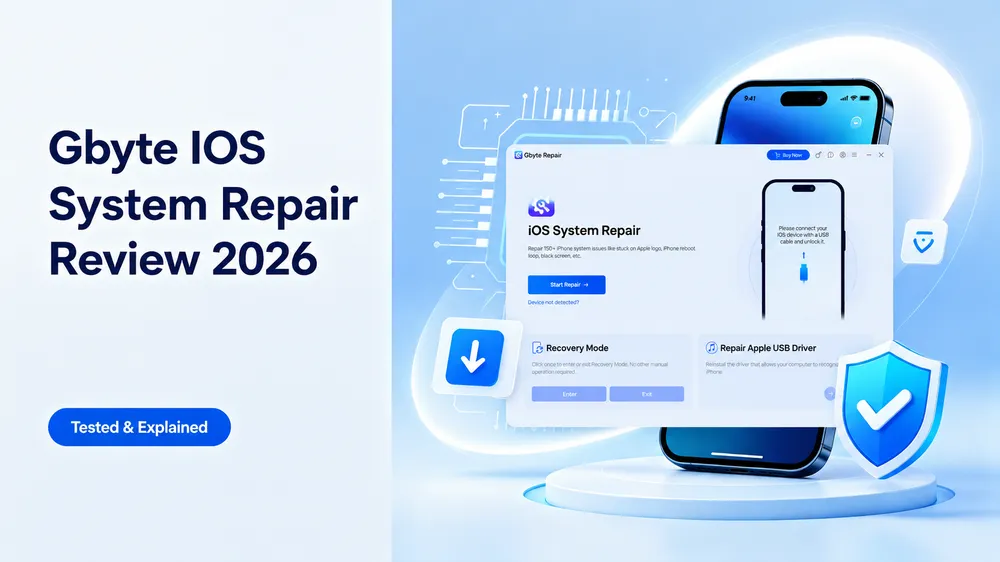
Gbyte Repair is a dedicated iOS system repair tool for iPhone and iPad users who want a simple repair experience without a feature-heavy toolkit.
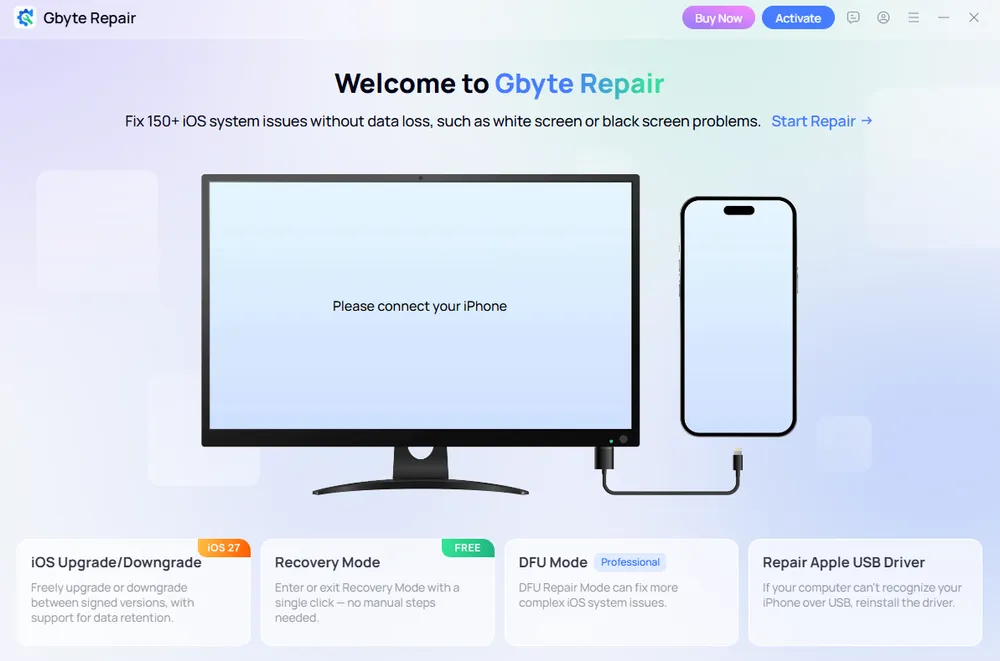
What stood out most to me was Gbyte's more direct repair workflow. Unlike the other tools I tested, which typically ask users to choose a Standard or Advanced/Deep repair mode first, Gbyte makes Standard Repair the default path through the main Start Repair button. From there, users can choose whether to keep or erase existing data. For more serious system issues, a deeper professional repair option is available separately through DFU mode.
Gbyte also stands out for its multi-device license coverage. Its annual plan covers 6 devices, while the lifetime plan supports up to 8 devices on one PC. Recovery Mode entry and exit are also available for free, making basic recovery-mode troubleshooting accessible without a paid license.
Pros

Simple, step-by-step workflow with clear guidance
Both data-preserving and data-erasing options in Standard and Deep Repair
Supports extra features such as iOS upgrade/downgrade
Up to 8 devices with the lifetime license
Free Recovery Mode entry and exit
Cons

Windows only; no Mac support
May not suit users looking for an all-in-one iPhone toolkit
No iPod touch or Apple TV support
💰 Pricing
$24.99/month for 5 devices, $44.99/year for 6 devices, or $69.99 lifetime for 8 devices, all on 1 PC.
👉 Read the full Gbyte iOS System Repair Review for more detailed testing and hands-on findings.
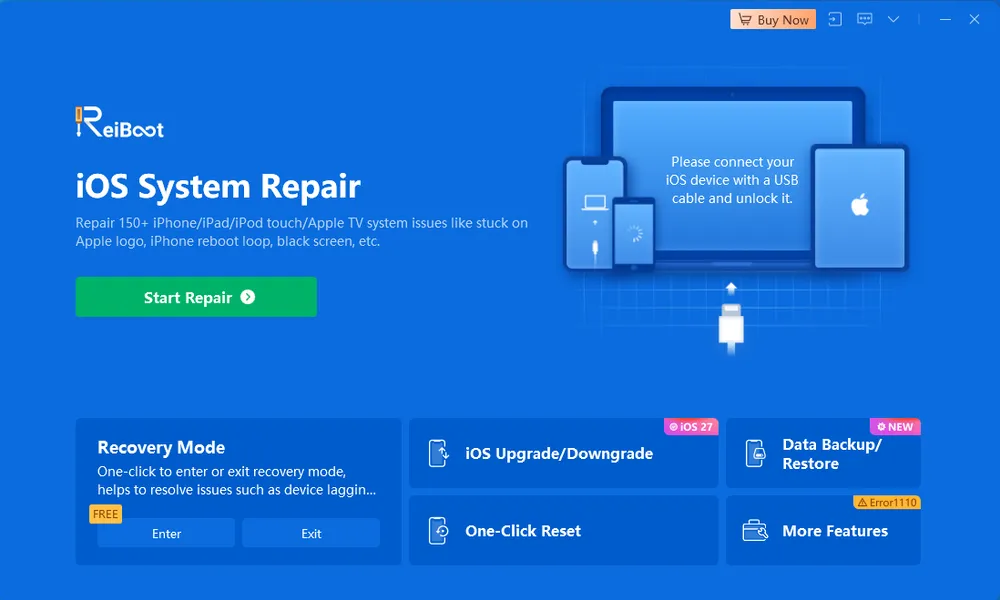
Tenorshare ReiBoot is one of the more established iOS system repair tools in this comparison and supports a broader range of Apple devices, including iPhone, iPad, iPod touch, and Apple TV, with both Windows and Mac versions available.
It also goes beyond basic system repair with tools for iOS upgrade/downgrade, data backup and restore, and other device utilities. In my testing, the repair process was clearly guided, and the categorized issue list made it easy to check whether a problem was covered before starting. However, while entering Recovery Mode was free, exiting Recovery Mode required a paid license.
Pros
Supports iPhone, iPad, iPod touch, and Apple TV
Available on both Windows and Mac
Includes iOS upgrade/downgrade, data backup and restore, and additional utilities
Cons
Recovery Mode exit required payment in my test
Annual and lifetime plans remain limited to 5 devices / 1 computer
Highest annual and lifetime pricing among the five tools compared
💰 Pricing
Windows: $24.95/month, $51.95/year, or $89.95 lifetime. Mac: $39.95/month, $59.95/year, or $92.95 lifetime. All plans cover up to 5 devices on 1 computer.
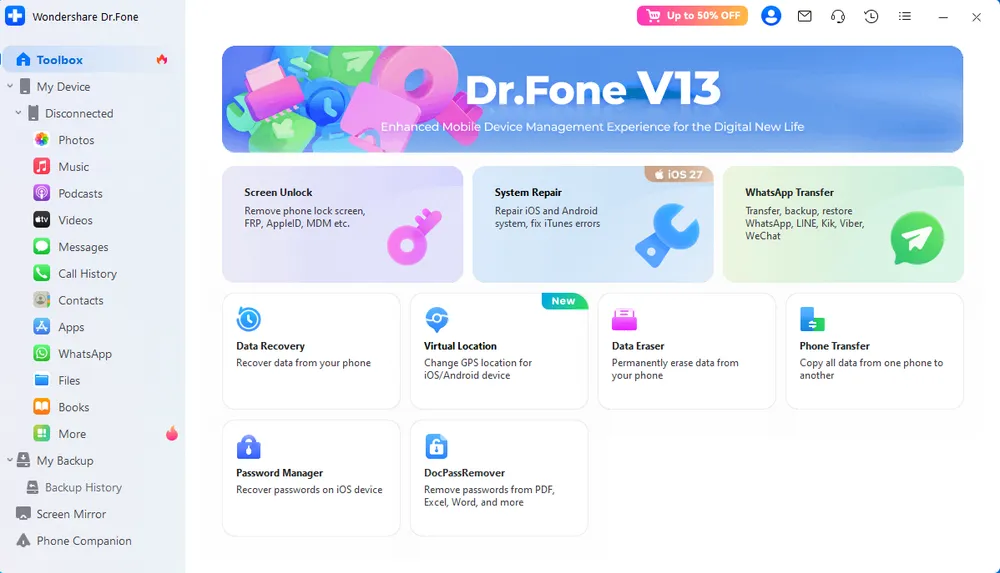
Wondershare Dr.Fone stands out from the other tools in this comparison because System Repair is part of a much broader mobile toolkit. Beyond iOS repair, the Dr.Fone platform includes tools for screen unlocking, data recovery, WhatsApp transfer, virtual location, and other device management tasks. These tools can be purchased separately based on what you need, while the Full Toolkit bundles all major Dr.Fone features into one package. This makes Dr.Fone particularly suitable for users who want the flexibility to start with a specific tool or access multiple mobile utilities under one platform.
In my testing, the repair process itself was clear once I opened System Repair, but the overall interface contains many modules and repair-related options. Features such as iOS Repair and Anti-Recovery Repair are presented separately, which may make it less obvious which option to choose if system repair is your only goal. One advantage of its System Repair license, however, is that it covers up to 5 devices and 2 computers, compared with the 1-computer limit of several other tools here.
Pros
Broad toolkit covering system repair, unlocking, data recovery, WhatsApp transfer, and more
iOS System Repair available on both Windows and Mac
Supports up to 5 devices / 2 computers per System Repair license
Cons
System Repair is less prominent within the feature-rich interface
Multiple repair-related options may be less intuitive for first-time users
Recovery Mode exit requires a paid license
7-day refund window, shorter than the other four tools compared
💰 Pricing
Windows: $24.95/month, $49.95/year, or $69.95 perpetual. Mac: $19.95/month, $59.95/year, or $79.95 perpetual. System Repair plans cover up to 5 devices and 2 computers. Other Dr.Fone modules can be purchased separately or accessed together through the Full Toolkit.
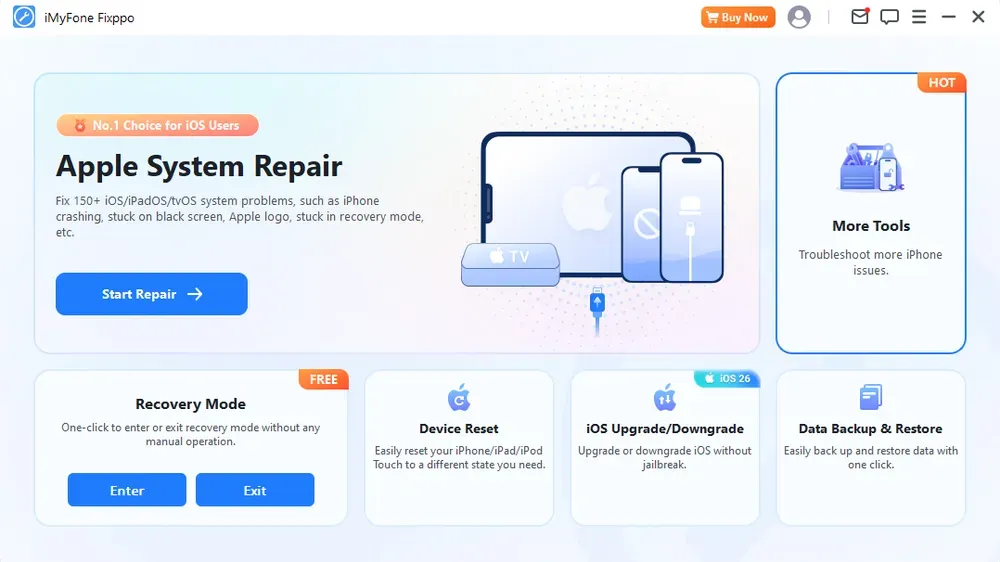
iMyFone Fixppo combines iOS system repair with additional utilities such as iOS upgrade/downgrade, Device Reset, and Data Backup & Restore. System Repair is prominently placed on the desktop interface, and in my testing, the repair workflow provided clear step-by-step guidance. Recovery Mode entry and exit were both available for free and worked successfully in my test.
What makes Fixppo more distinctive in this comparison is its pricing and platform availability. The Basic lifetime plan costs $59.99 for up to 5 iOS devices, giving it the lowest lifetime starting price among the five tools compared. Fixppo is available on Windows and Mac, with Android and iOS apps also offered, although features may differ between desktop and mobile versions.
Pros
Lowest lifetime starting price among the five tools compared
Available on Windows and Mac, with Android and iOS apps also offered
Free Recovery Mode entry and exit
Includes iOS upgrade/downgrade, Device Reset, and Data Backup & Restore
Cons
Monthly and annual Basic plans support only 1 iOS device
Highest monthly starting price among the five tools compared
💰 Pricing
Basic: $29.99/month for 1 iOS device, $49.99/year for 1 iOS device, or $59.99 lifetime for up to 5 iOS devices.
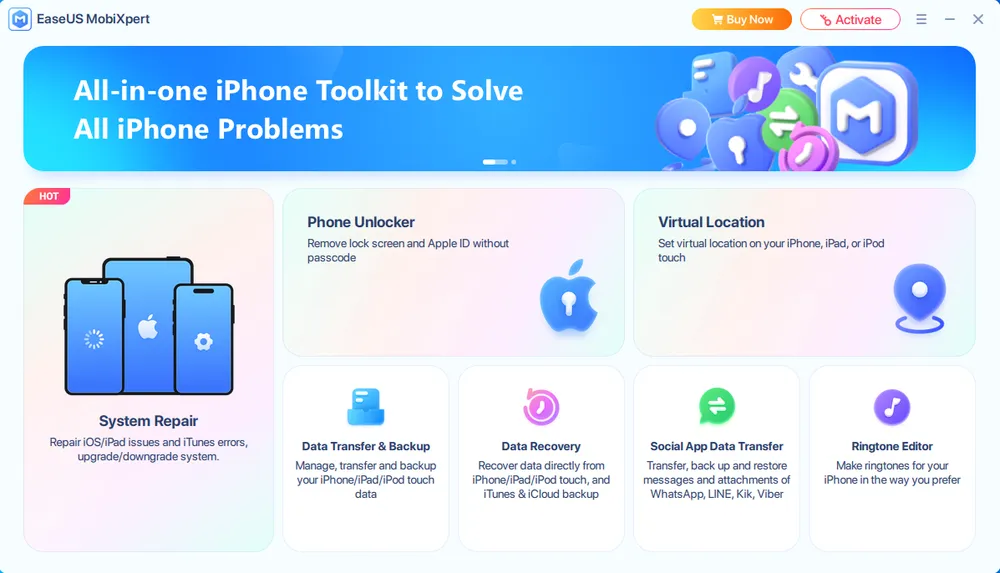
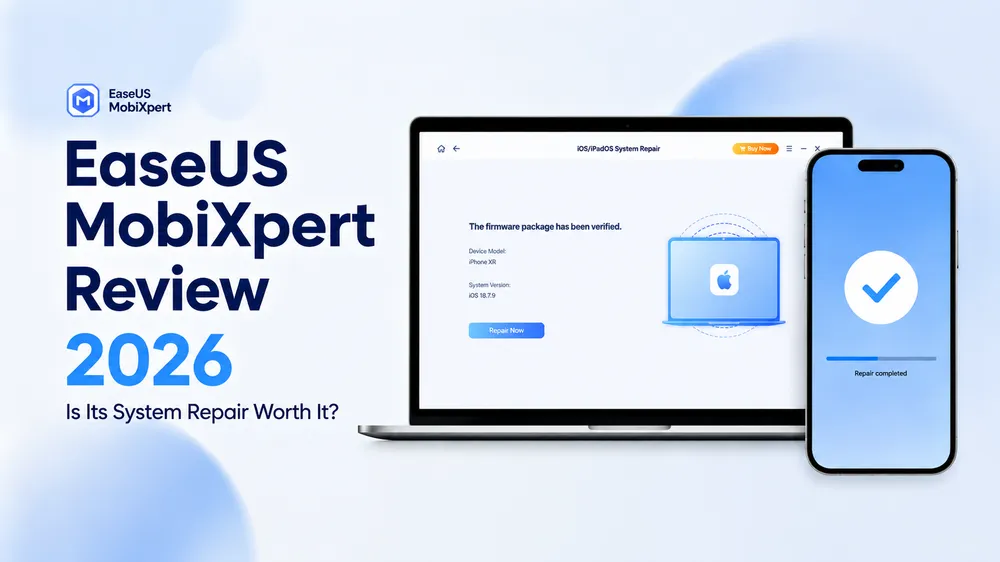
EaseUS MobiXpert System Repair stands out mainly for its lower short-term pricing. At $19.95/month or $39.95/year for up to 5 devices, it has the lowest monthly and annual prices among the five tools compared, making it particularly attractive for users who do not need a lifetime license.
Recovery Mode entry and exit are both available for free, while the System Repair module also includes utilities such as iOS upgrade/downgrade and iTunes Repair. Although MobiXpert includes access to a broader range of EaseUS mobile utilities, System Repair is purchased separately rather than being included in the 5-in-1 bundle.
Pros
Lowest monthly and annual pricing among the five tools compared
Monthly and annual plans support up to 5 devices / 1 PC
Free Recovery Mode entry and exit
Supports iPhone, iPad, and iPod touch
Cons
Windows only; no Mac support
Lifetime plan remains limited to 5 devices / 1 PC
System Repair is not included in the MobiXpert 5-in-1 bundle
💰 Pricing
$19.95/month, $39.95/year, or $69.95 lifetime, with all plans covering up to 5 devices on 1 PC.
All five tools successfully fixed the iOS system issues used in my tests, so the best choice depends more on your budget, device coverage, platform, and the type of repair experience you prefer.
Choose Gbyte iOS System Repair if you want a straightforward, repair-focused workflow, free Recovery Mode entry and exit, and stronger multi-device license coverage.
Choose Tenorshare ReiBoot if you want an established repair tool with Windows and Mac support and broader Apple device compatibility, including Apple TV.
Choose Wondershare Dr.Fone if you want system repair as part of a broader mobile toolkit and may also need tools for unlocking, data recovery, or device management.
Choose iMyFone Fixppo if you prefer a lower-cost lifetime plan and broader platform availability.
Choose EaseUS MobiXpert System Repair if getting the lowest monthly or annual price is your priority.
For most Windows users who mainly need iPhone or iPad system repair, Gbyte is my top pick. Its repair workflow is more direct, with clear options to keep or erase existing data in both Standard and Deep Repair. It also offers free Recovery Mode entry and exit, while its lifetime license covers up to 8 devices. However, it is less suitable if you need Mac support, iPod touch or Apple TV repair, or a broader all-in-one mobile toolkit.
There is no single best iOS system repair tool for every user. The right choice depends on your needs, such as whether you prioritize simple repair, advanced options, multiple device support, additional features, or pricing.
Most iOS system repair tools are safe to use when downloaded from official websites. They typically repair iOS by using official firmware files instead of modifying the device hardware or system permanently. However, users should choose trusted software providers and avoid unknown tools that make unrealistic claims.
Most iOS system repair software provides some free features, such as entering or exiting Recovery Mode, but full system repair usually requires a paid license.
Standard Repair is generally used for common iOS issues, while Deep/Advanced Repair is intended for more serious problems. Data-loss rules vary by software, so always check whether the selected repair option preserves or erases data before starting.
Yes. Some iOS problems can be fixed with a force restart, an iOS update, or Apple's official recovery methods through Finder, iTunes, or Apple Devices. Dedicated iOS repair software provides another option when you need a more guided repair process or additional repair choices.
No. iOS system repair software can fix software-related issues, but not physical damage such as a broken screen, battery, or charging port. Hardware problems usually require professional repair.
 Add Gbyte as a preferred source on Google
Share


Related articles


Copyright ©2026 Gbyte. All rights reserved. Gbyte’s software is not developed by or affiliated with Apple Inc.
The installation wizard will automatically start after downloading.
After registration, the recovery process can be managed through the web interface.
You get it all with your purchase - no locked features, no hidden limitations.