

Gbyte Repair

Gbyte Repair
Fix 150+ iOS issues yourself, no tech skills needed, no data loss
Table of contents
Quick Verdict: Does Gbyte Actually Work?
Yes. In my testing, both Standard Repair and Deep Repair successfully resolved the iOS system issues on my test devices. Gbyte stands out for its simple, beginner-friendly repair workflow, flexible Keep Data / Erase Data options, free Recovery Mode tools, and multi-device licensing.
Overall Rating: ★★★★☆ (4.1/5)
Pros:
Simple, beginner-friendly repair workflow
Keep Data / Erase Data available with both repair paths
Free one-click Recovery Mode entry and exit
Plans cover 5–8 devices
Cons:
Windows only
Supports iPhone and iPad, but not Apple TV or iPod touch
Fewer extra features than broader all-in-one toolkits
Recommended For:
Windows users who want a straightforward iPhone/iPad system repair tool — no tech skills needed
Users who also want iOS upgrade/downgrade options alongside repair
Users who need to repair multiple devices under one license
May Not Be the Best Fit For:
Mac users
Users who need support for Apple TV or iPod touch
Users dealing with hardware-related problems
Users looking for a broader all-in-one device management toolkit
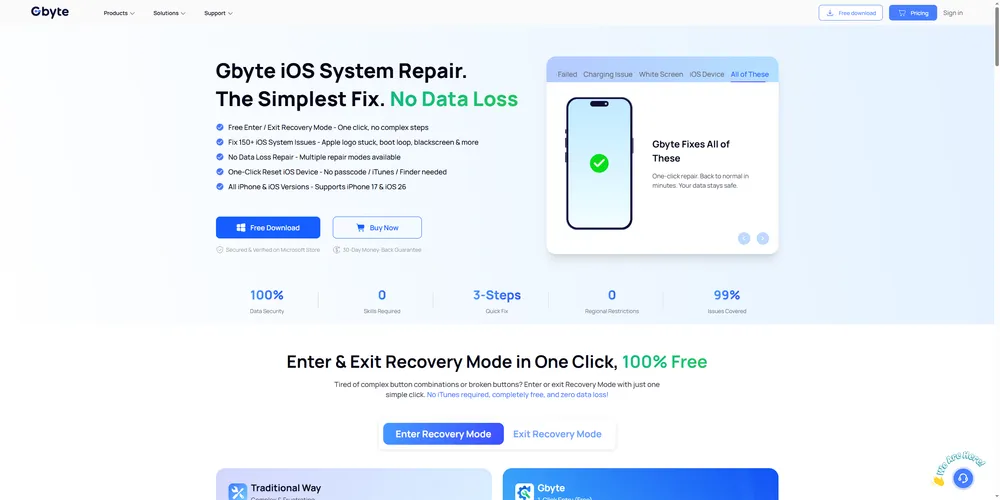
Gbyte iOS System Repair is a desktop tool designed to fix common software-related iOS system issues without needing a trip to the Apple Store. It targets problems like an iPhone stuck on the Apple logo, boot loops, black or white screens, and an unresponsive touchscreen.
It supports the iPhone and iPad and is available on Windows. Gbyte keeps the repair paths fairly simple: Start Repair option takes you through the standard repair process, while DFU Mode, labeled as a professional option, is designed for more complex system issues and uses Deep Repair. Both paths let you choose whether to keep or erase your data. I'll explain the difference below.
Gbyte iOS System Repair downloads the firmware package required for the connected device and uses it as part of the iOS repair process. The repair is software-based, so it is designed for iOS system issues rather than hardware damage.
Gbyte provides two repair paths depending on the type and severity of the problem:
The standard repair path starts with Start Repair on the main screen. Once the required firmware is downloaded, Gbyte displays Standard Repair, along with the option to Keep Data or Erase Data before starting the repair.
This is the more straightforward option for common iOS system issues and the one I would try first in most software-related repair scenarios.
For more complex iOS system issues or problems that Standard Repair did not resolve, Gbyte provides a separate DFU Mode, labeled Professional on the main screen. Once the device enters DFU Mode and the required firmware is downloaded, Gbyte displays Deep Repair.
Like Standard Repair, Deep Repair lets you choose between Keep Data and Erase Data before starting the repair.
Note: Gbyte is designed for software-related iOS issues. It cannot repair hardware problems such as a damaged display, battery, or other physical components.
Here's exactly what I used:
Test Detail | Value |
Device | iPhone 16e (iOS 26.5.2); iPhone XR (iOS 18.7.9) |
Computer | Windows 10 |
Gbyte Repair Version | 1.1.0 |
Test Scenario 1 | iPhone 16e: System instability and app crashes after iOS update |
Test Scenario 2 | iPhone XR: Stuck in a boot loop and unable to start normally |
Repair Paths Tested | Standard Repair and Deep Repair via DFU Mode |
Recovery Mode Test | Free One-click Enter and Exit Recovery Mode |
Test Date | September 3, 2026 |
After updating my iPhone 16e from iOS 18 to iOS 26.5.2, I noticed some system instability, including occasional app crashes and performance issues. I used Gbyte’s standard repair path to see whether it could resolve these problems while keeping my existing data.
Steps followed:
Download and install Gbyte Repair on a Windows PC. Connect the iPhone via USB and wait for the software to recognize the device.
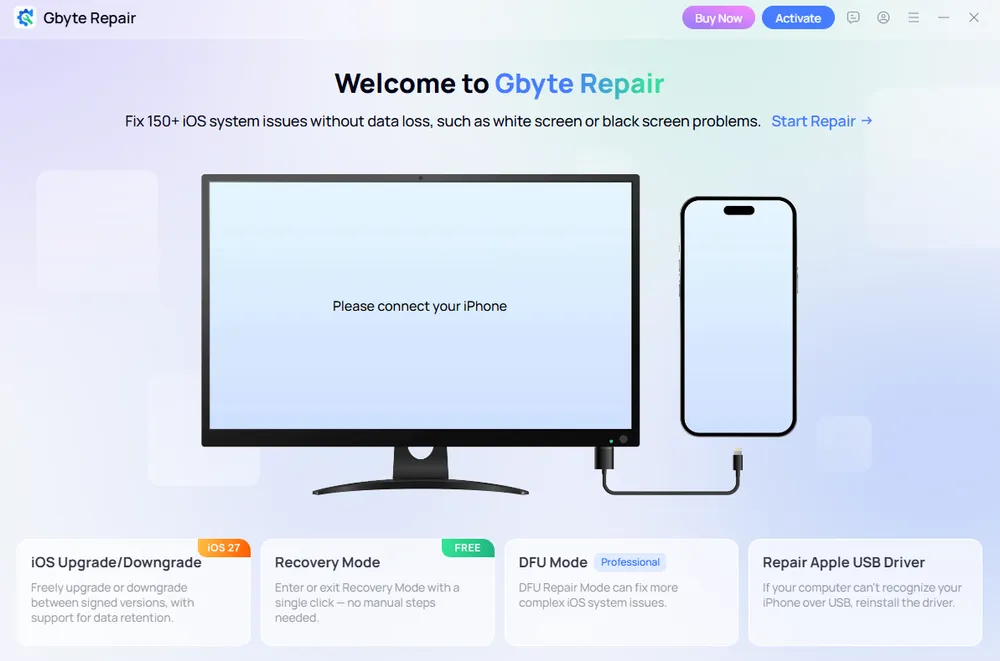
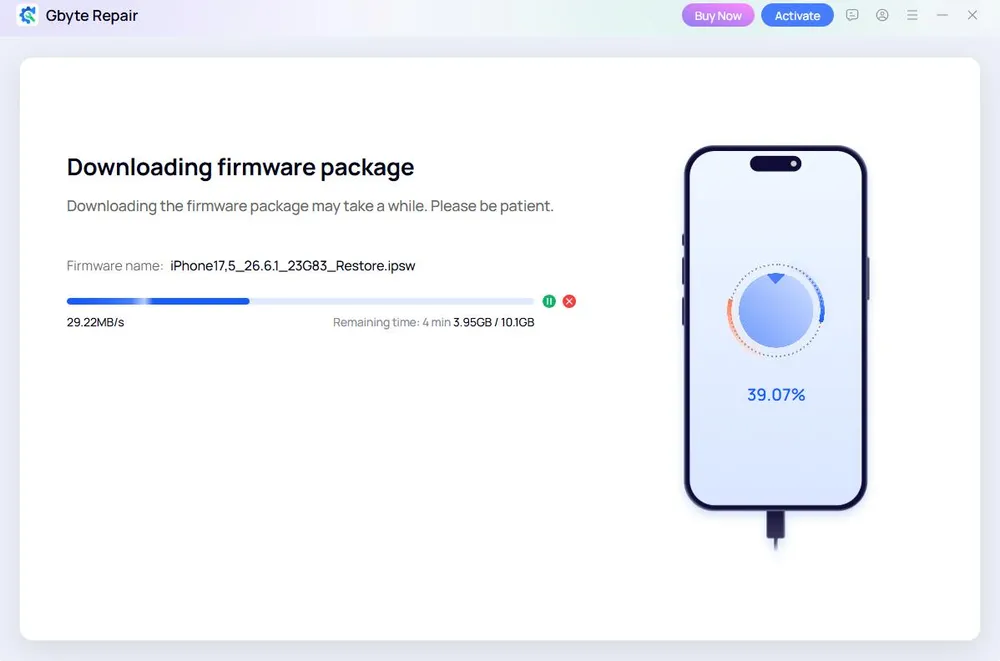
Click Start Repair. Gbyte automatically matches the device with the appropriate firmware package. Download the firmware to continue.
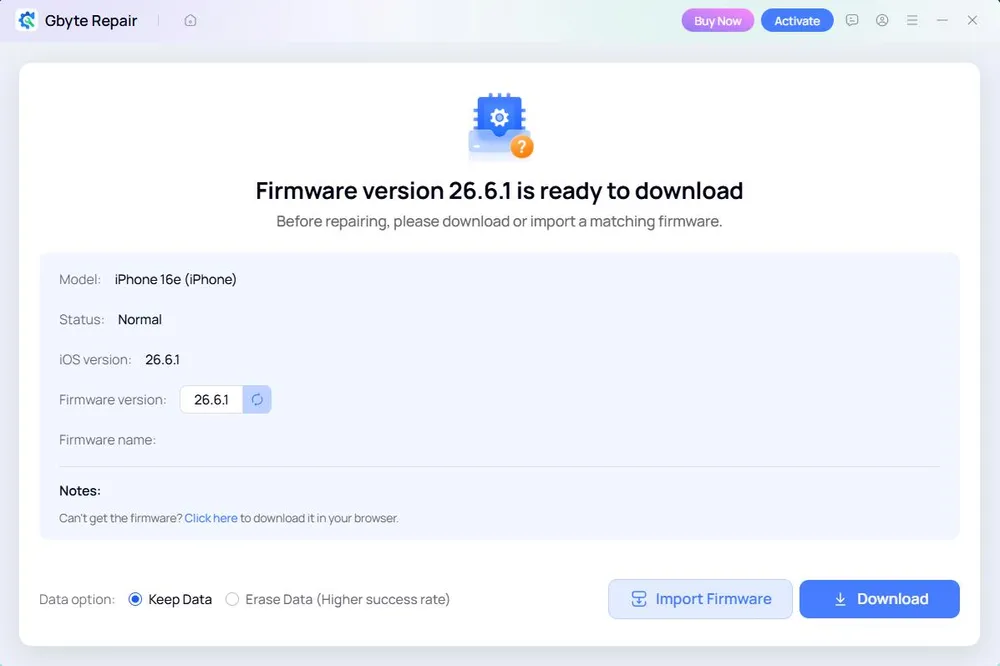
Once the firmware is ready, choose Keep Data or Erase Data, then click Standard Repair. Keep Data is selected by default.
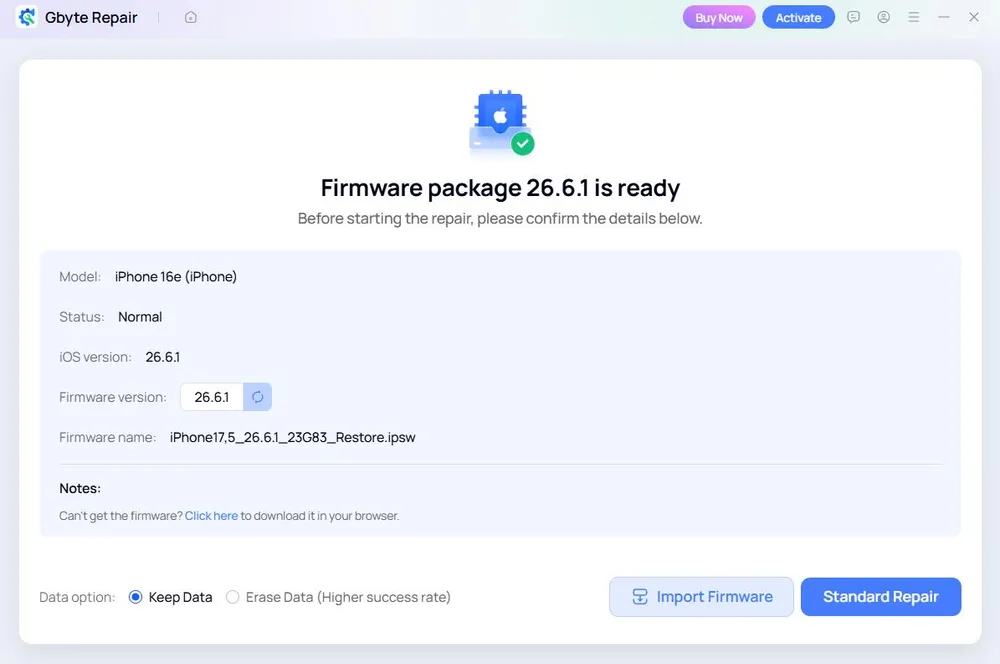
Wait for the repair process to complete.
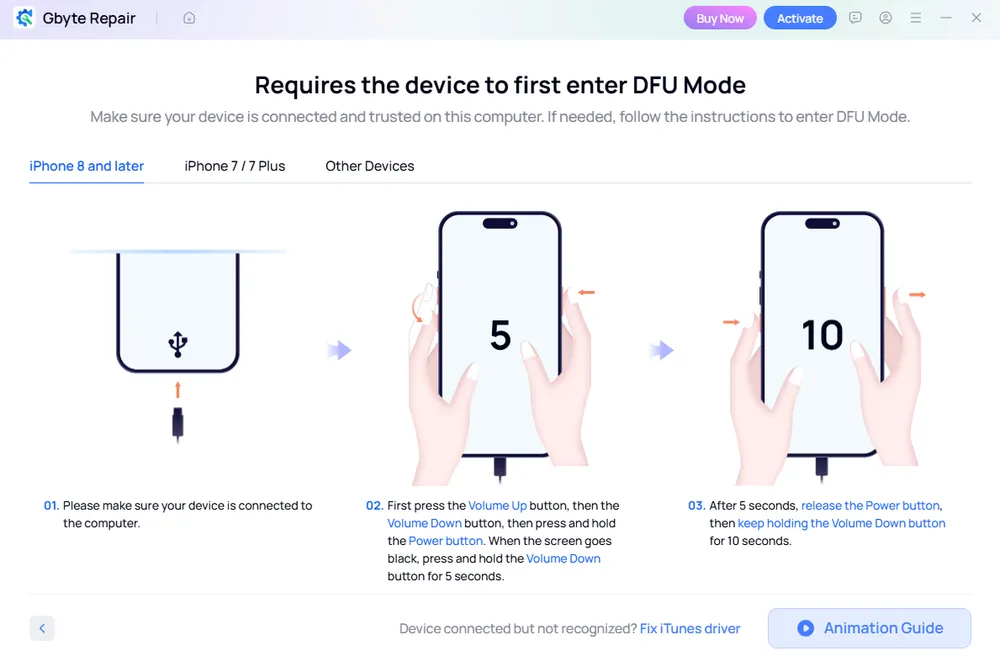
For this test, I used an iPhone XR that was stuck in a boot loop and unable to start normally. DFU Mode requires a specific button sequence and cannot be entered with one click. Gbyte provides step-by-step on-screen instructions for the connected iPhone model, so there was no need to look up the button combination separately. Once the iPhone entered DFU Mode, the remaining process was similar to Standard Repair.
Item | Standard Repair | Deep Repair via DFU Mode |
Test Device | iPhone 16e (iOS 26.5.2) | iPhone XR (iOS 18.7.9) |
Repair Result | Successful | Successful |
Data Option Tested | Keep Data | Keep Data |
Device Status After Repair | System issues resolved; device worked normally | Boot loop resolved; device restarted normally |
Personal Data | Remained intact | Remained intact |
Firmware Download | 16 min | 15 min |
Overall, the repair workflow felt simple and beginner-friendly. The main screen makes Start Repair the obvious starting point, while DFU Mode is separately labeled Professional and described as an option for more complex issues. I did not need to compare several repair modes before knowing where to start. Even with the deeper DFU repair path, Keep Data and Erase Data remain separate choices, rather than tying data erasure directly to the repair mode.
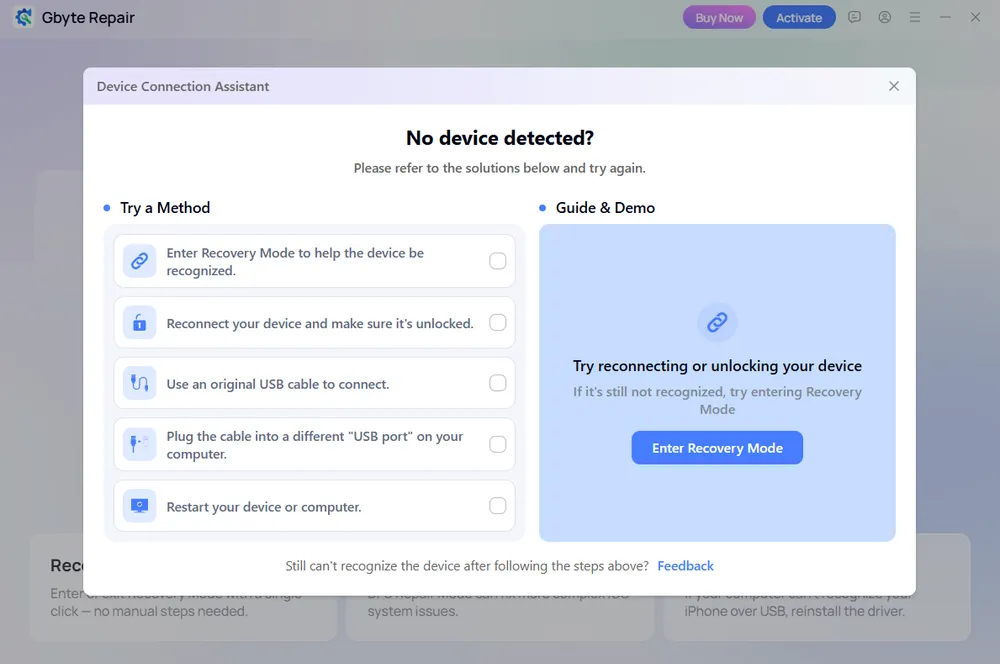
I also liked the built-in device connection assistance. When no device was detected after a short wait, Gbyte automatically opened a troubleshooting panel with practical suggestions, including reconnecting or unlocking the iPhone, checking the USB cable or port, restarting the device or computer, and entering Recovery Mode. This makes the connection stage less confusing for first-time users.
The firmware download was relatively quick in my test: the 10.1 GB firmware package for the iPhone 16e took 6 minutes. Both Standard Repair and Deep Repair completed successfully, and I did not encounter crashes, stuck progress bars, or unexpected errors during either workflow. Firmware download time can, of course, vary depending on file size and network speed.
Safety Check | What I Found |
Apple ID & Password | No Apple ID credentials or passwords were required during the repair process. |
Jailbreak | No jailbreak was required during testing. |
Activation Lock | Gbyte does not bypass Activation Lock or Apple Account security protections. |
Data Loss Risk | Depends on the selected data option. Both Standard Repair and Deep Repair provide Keep Data and Erase Data options. |
Installation & Use | I did not observe suspicious behavior, unexpected system changes, or security warnings during installation or testing. |
Privacy | Gbyte provides a privacy policy explaining its data-handling practices. |
Based on my testing, I did not encounter any obvious security concerns during installation or repair. Gbyte did not ask for my Apple ID password, require a jailbreak, or attempt to bypass Apple security protections. As with any system repair, I would still recommend backing up important data before starting whenever possible.
Gbyte lets you enter and exit Recovery Mode for free, with no paid license required. Standard Repair and Deep Repair require a paid plan.
Plan | Price | Device Coverage | Best For |
Monthly | $24.99 | 5 devices / 1 PC | Short-term or one-time repair needs |
Yearly | $44.99 | 6 devices / 1 PC | Users who may need repairs across multiple devices during the year |
Lifetime | $69.99 | 8 devices / 1 PC | Long-term use and the highest device coverage |
One thing that stands out is the number of devices included with each license. Even the monthly plan covers up to five devices, while the yearly and lifetime plans increase that to six and eight devices respectively. This makes Gbyte particularly practical for households or users who need to repair more than one iPhone or iPad.
Refund Policy
Gbyte offers a 30-day money-back guarantee for eligible purchases, subject to its refund terms and conditions. Approved refunds are returned to the original payment method.
For eligibility and other conditions, see Gbyte's official refund policy.
Based on my hands-on testing, yes — especially for Windows users who want a simple, repair-focused tool for an iPhone or iPad. Both Standard Repair and Deep Repair completed successfully in my tests, and the overall workflow was straightforward even without prior experience using iOS repair software.
Gbyte stands out most for its beginner-friendly repair workflow, flexible data options, free Recovery Mode tools, and multi-device licensing. These strengths make it a strong option for users who mainly want to fix iOS system issues without navigating a more complex all-in-one toolkit.
Category | Rating | Notes |
Ease of Use | ★★★★★ | Clear repair paths, a focused interface, and built-in connection guidance make the workflow easy to follow. |
Repair Capability | ★★★★☆ | Both Standard Repair and Deep Repair completed successfully in my tests, though testing was limited to two devices and two scenarios. |
Data Safety | ★★★★☆ | Both repair paths provide Keep Data and Erase Data options, giving users more control over how the repair is performed. |
Speed | ★★★★☆ | The 10.1 GB firmware downloaded in 6 minutes, and the overall repair process was relatively quick. Actual time may vary by firmware size and network conditions. |
Device Compatibility | ★★★☆☆ | Supports iPhone and iPad, but currently runs only on Windows. |
Free Features | ★★★☆☆ | Free one-click entry and exit for Recovery Mode are useful, but full system repair requires a paid license. |
Pricing Value | ★★★☆☆ (3.5/5) | Pricing is competitive rather than the lowest, but the yearly and lifetime plans stand out for supporting up to 6 and 8 devices. |
Refund & Support | ★★★☆☆ | A 30-day money-back guarantee and support resources are available. |
Overall Rating | ★★★★☆ (4.1/5) | A strong choice for its simple repair workflow, beginner-friendly design, flexible data options, and multi-device value. |
Simple and beginner-friendly workflow: Start Repair provides a clear default path, while the more advanced DFU Mode is separately labeled Professional for more complex issues.
More than just repair: Alongside its core iOS system repair function, Gbyte also supports iOS upgrade/downgrade and Repair Apple USB Driver.
Flexible data options: Both Standard Repair and Deep Repair provide Keep Data and Erase Data options instead of automatically tying data erasure to the deeper repair path.
Good value for multiple devices: Paid plans cover 5 to 8 devices, and both entering and exiting Recovery Mode are available for free.
Windows only: Gbyte Repair currently does not offer a macOS version.
Limited Apple device coverage: Gbyte currently supports iPhone and iPad, but not Apple TV or iPod touch.
Not an all-in-one toolkit: Gbyte focuses primarily on iOS system repair, so it may not suit users looking for a broader device management toolkit.
Gbyte is a good fit if you

Mainly want to fix software-related problems on an iPhone or iPad
Prefer a simple, guided repair process over a feature-heavy toolkit
Need a license that covers multiple devices
Want to try free Recovery Mode entry and exit
Consider another option if you

Need to repair an Apple TV or iPod touch
Want an all-in-one toolkit with broader device-management features
Use a Mac and need a native macOS repair tool
Are dealing with a hardware problem rather than an iOS system issue
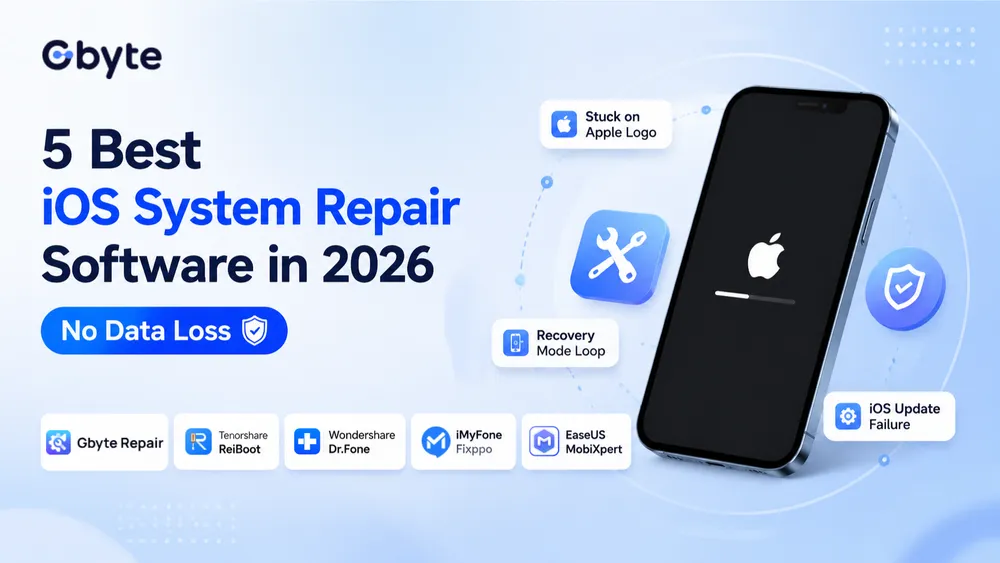
👉 Want to compare your options? See my guide to the best iOS system repair software for a side-by-side look at Gbyte and other popular tools.
Gbyte offers free Recovery Mode entry and exit features, while Standard Repair and Deep Repair require a paid plan.
Not necessarily. Both Standard Repair and Deep Repair let you choose between Keep Data and Erase Data before starting the repair. Keep Data is the better choice if you want to preserve your existing files, while Erase Data removes them during the repair.
Yes. Gbyte is designed to fix common iOS issues, including Apple logo stuck, boot loops, frozen screens, and failed updates.
Standard Repair is designed for common iOS system issues and is the recommended starting point for most users. Deep Repair works through DFU Mode and is intended for more complex issues or problems that Standard Repair could not resolve. Both repair paths offer Keep Data and Erase Data options.
Gbyte supports iPhone models from older generations to the latest iPhone models. It supports iOS system repair across compatible iOS versions.
No. It is designed to fix software-related iOS issues, not physical problems such as a damaged screen, battery, or other hardware failures.
 Add Gbyte as a preferred source on Google
Share


Related articles


Copyright ©2026 Gbyte. All rights reserved. Gbyte’s software is not developed by or affiliated with Apple Inc.
The installation wizard will automatically start after downloading.
After registration, the recovery process can be managed through the web interface.
You get it all with your purchase - no locked features, no hidden limitations.