

Gbyte Recovery
Gbyte Recovery
Free scan and selective preview of 25+ data types like messages, photos, and WhatsApp. No data overwritten — recover only what you need.
Table of contents
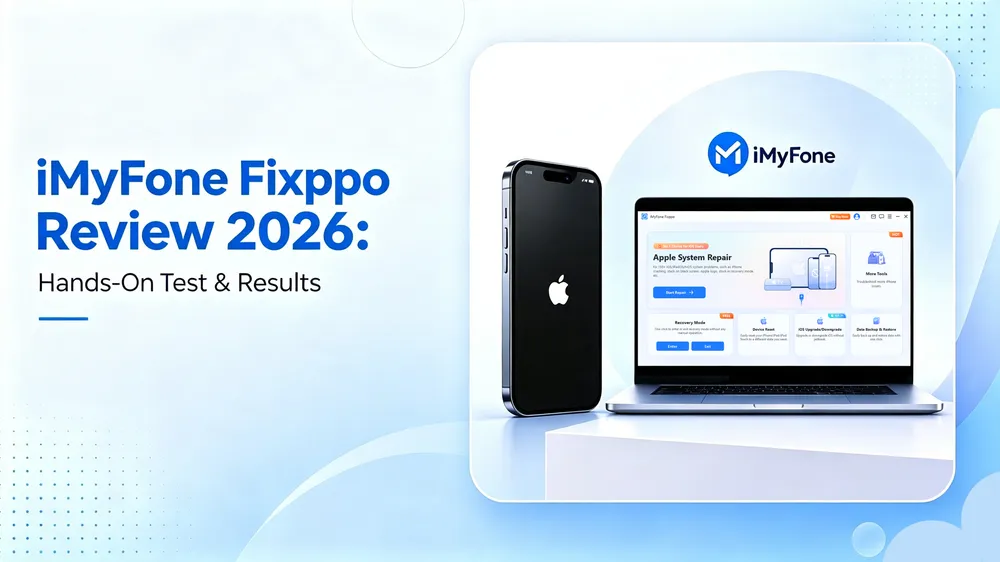
It happens in a second. You delete a message thread, an entire WhatsApp chat, or the only photo you had of a special moment. Panic sets in. You Google “how to recover deleted iPhone data,” and everywhere you look, iMyFone D-Back pops up.
It promises to recover almost anything—messages, photos, contacts, even WhatsApp. Sounds like magic. But does it actually work?
I spent hours testing iMyFone D-Back on my iPhone. And here’s the spoiler: it doesn’t do what the ads make you believe. In this review, I’ll walk you through exactly what worked, what failed, and whether it’s worth your money.
iMyFone D-Back is a desktop program for Windows and Mac, marketed as an iOS data recovery solution. According to its website, it can:
Recover messages, contacts, photos, and videos.
Restore WhatsApp, WeChat, LINE, Viber, and other chats.
Extract data from iCloud and iTunes backups.
Work even if your iPhone is damaged or inaccessible.
Bold promises. But let’s see how they hold up in practice.
Test Setup | Detail |
Computer | Windows 10 |
Test device | iPhone 17, iOS 26 |
Photos in library | 1,329 |
Videos in library | 99 |
Tested | August 31, 2026 |
D-Back Version | v9.2.7 |
I tried all four recovery methods iMyFone D-Back offers: USB, iCloud backup, iCloud account, and iTunes backup. Here's what the marketing says — versus what actually happened.
Recovery Method | What iMyFone Promises | What I Actually Got |
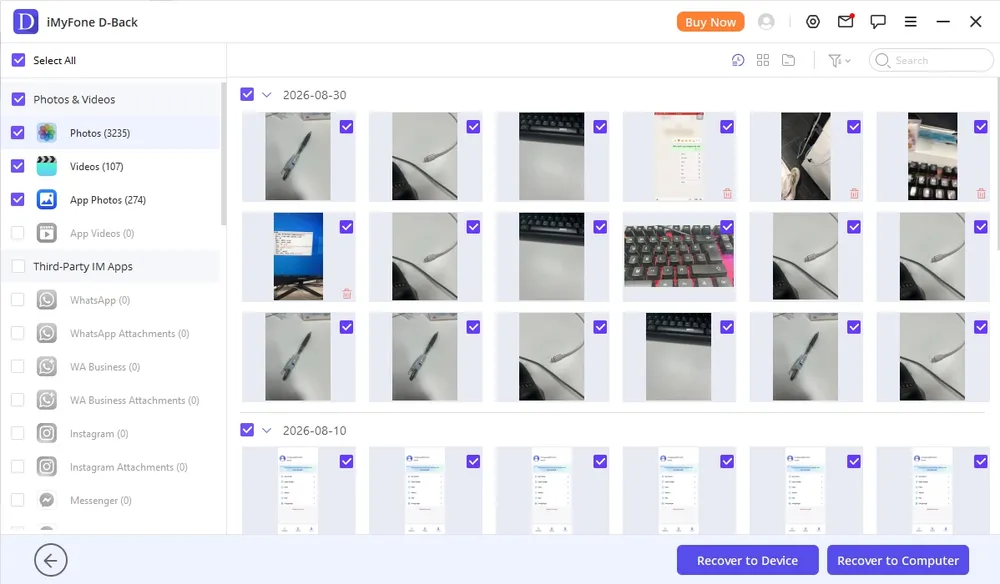
USB (direct iPhone scan) | Recover deleted texts, photos, WhatsApp, notes | 3,235 photos returned — but all were still on the device. Only Notes came back deleted. |
iTunes Backup | Full recovery from iTunes backups | ❌ Only scanned existing backup data—no permanently deleted files. |
iCloud Backup | Recover deleted files from iCloud backups | ❌ Same synced data you’d see on iCloud.com. Nothing new. |
iCloud Account Login | “Deeper recovery” via Apple ID | ❌ Identical to iCloud backup results—no extra recovery. |
The USB mode is worth describing in detail, because the results looked far more promising than they turned out to be.
My library held 1,329 photos and 99 videos. The scan returned 3,235 photos and 107 videos — well over twice what was actually on the device. Going through the results, the reason became clear: the same image was often listed five or six times over, presumably picking up thumbnails, cached copies and other duplicates alongside the original.
A large results count is easy to read as good news. In this case it wasn't. Everything the scan surfaced was already sitting on my phone — I could open all of it in the Photos app without any software at all. The permanently deleted images I was actually looking for never appeared.
The other three methods produced the same outcome by a different route. iTunes backup and iCloud backup both returned what was already stored in those backups. The iCloud account login, marketed as a deeper option, returned the same results as the iCloud backup method. None of the four brought back a single deleted photo.
👉 In short: D-Back worked as a backup extractor, not a true recovery tool. Permanently deleted data stayed gone.
What I Liked ✅
Clean, simple, beginner-friendly interface
Clear step-by-step instructions
Fast scanning (~3 minutes on my device)
What I Didn’t Like ❌
Scan results are padded with duplicates — 3,235 photos returned from a library of 1,329
Features overlap heavily with iTunes and iCloud, which are free
A lot of people search: is iMyFone D-Back safe?
Yes—if you download it from the official website, it’s safe. No malware, no hidden viruses.
No—if you try cracked versions (imyfone d-back crack, torrent, mod apk). Those often carry viruses and could expose your Apple ID or personal files.
Is iMyFone D-Back legit? The company behind it is real. But based on my test, its claims are exaggerated.
Does iMyFone D-Back work? Technically, yes—it scans devices and extracts backups. But it does not work if your goal is recovering permanently deleted iPhone data.
iMyFone D-Back offers several subscription options for individuals and businesses. Here’s the current pricing:
1-Month Plan – $49.99 (for up to 3 devices / 2 PCs)
1-Year Plan – $69.99 (for up to 3 devices / 2 PCs)
Lifetime Plan – $79.99 (for up to 5 devices / 3 PCs)
Annual Business Plan – $139.99/year (for 3 PCs & 10 devices)
The Lifetime Plan ($79.99) is clearly the best deal—just $10 more than the annual plan, and it covers more devices plus free upgrades.
The Monthly Plan ($49.99) feels overpriced. Paying nearly $50 for one month of use is hard to justify, especially given the tool’s limitations.
The Business Plan ($139.99) could make sense for repair shops or IT departments, but not for casual users.
If your data is permanently deleted, iMyFone D-Back won’t help. A better solution is:
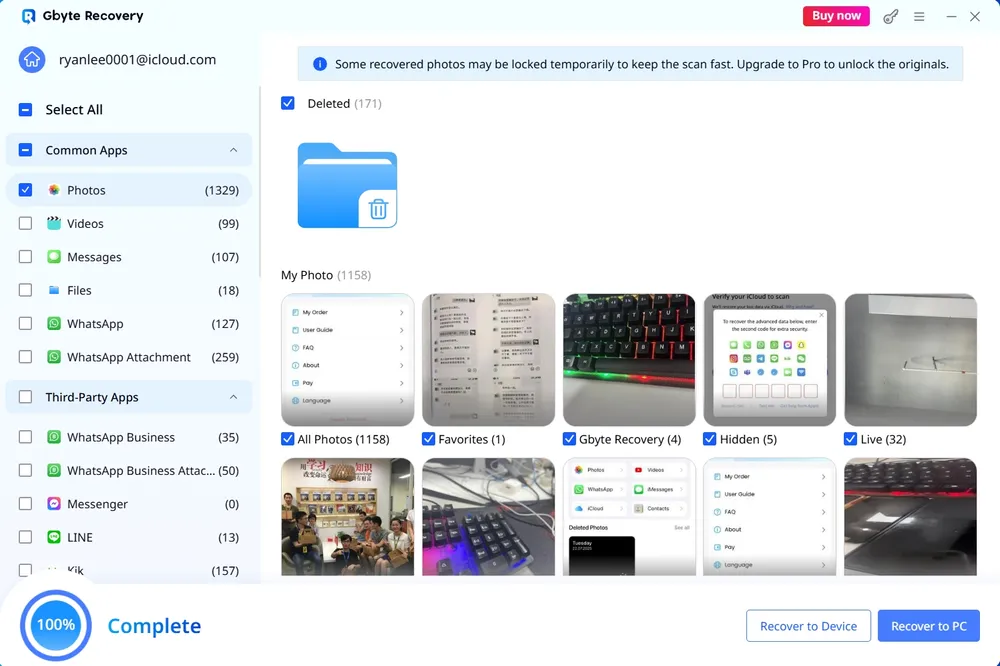
Gbyte iOS Recovery takes a different route to the same problem. Instead of scanning the phone, it reads your iCloud backup — which is where a deleted file still exists once it's gone from the device.
What it did in the same test
Running it against the same iPhone, the scan surfaced the deleted photos D-Back had missed across all four of its recovery modes. No inflated counts either: the results matched what had actually been deleted, rather than listing the same image five or six times over.
It also reaches further in terms of data types. Beyond photos and videos, the scan covered messages, WhatsApp, contacts and notes — categories that D-Back listed but returned nothing for in our test.
How it compares
Works from your iCloud backup rather than the device itself
Recovers selected files without erasing or resetting the phone
Free scan and preview before purchase, so you can confirm your file is there before paying
No USB cable required
Supports current iOS versions
The trade-off is worth stating plainly: this only works when a copy reached iCloud in the first place. If no backup ever captured the file, no tool can bring it back — which is exactly why the free scan matters. You find out before you pay.
Feature | iMyFone D-Back | Gbyte iOS Recovery |
Recovered deleted data in our test | Notes only | Yes |
Recovery routes | USB scan, iTunes backup, iCloud backup, iCloud account login | iCloud backup extraction |
Free preview before payment | Not for iCloud backups | Yes |
Works without a USB cable | No | Yes |
After putting iMyFone D-Back through extensive testing, here’s my honest take:
It’s safe, easy to use, and fast.
But it’s not a true recovery tool. At best, it’s a convenient way to browse and extract iTunes or iCloud backups.
If your goal is to recover permanently deleted photos, messages, or WhatsApp chats, D-Back simply won’t deliver.
Iterms | Result |
❌ Recovery | 1 of 4 methods returned deleted data — Notes only |
✅ Speed | Scan completed in about 3 minutes |
✅ Setup | Installed and running in under 5 minutes |
⚠️ Price | $49.99–$79.99 for a tool that returned one data type |
❌ Don’t rely on iMyFone D-Back if you need to bring back truly lost data.
✅ Do try Gbyte iOS Recovery if you want a professional-grade solution that actually restores deleted files from your iPhone.
With advanced scanning, higher recovery success rates, and support for the latest iOS versions, Gbyte iOS Recovery is the tool I’d recommend over D-Back. It bridges the gap between simple backup extraction and real data recovery—so when your precious files disappear, you actually have a way to get them back.
Yes—if you download iMyFone D-Back from the official website, it’s safe to install and doesn’t contain malware. However, be cautious with “imyfone d back crack” or “imyfone d-back crack” versions found online. These cracked builds are risky, often bundled with viruses or spyware that can steal your Apple ID. If safety and privacy matter, stick to the official version or a trusted alternative like Gbyte iOS Recovery, which offers frequent updates and higher data recovery rates.
Technically, iMyFone D-Back works for scanning iPhones and extracting iTunes/iCloud backups. But if your goal is recovering permanently deleted photos & videos, messages, or WhatsApp chats, it won’t deliver. Many users report it feels like it’s “not working” because the tool can’t restore truly lost data. If you need deep recovery with higher success rates, consider Gbyte iOS Recovery, which is built for permanent data loss scenarios.
There is no legitimate free full version of iMyFone D-Back. Cracked copies advertised as “imyfone d back crack” or “imyfone d-back free download full version” are unsafe and often carry malware. While iMyFone offers a free trial for scanning, unlocking full recovery requires a paid license. For a safer and more effective option, try Gbyte iOS Recovery, which lets you preview recoverable files before purchase.

 Add Gbyte as a preferred source on Google
Share


Related articles


Copyright ©2026 Gbyte. All rights reserved. Gbyte’s software is not developed by or affiliated with Apple Inc.
The installation wizard will automatically start after downloading.
After registration, the recovery process can be managed through the web interface.
You get it all with your purchase - no locked features, no hidden limitations.