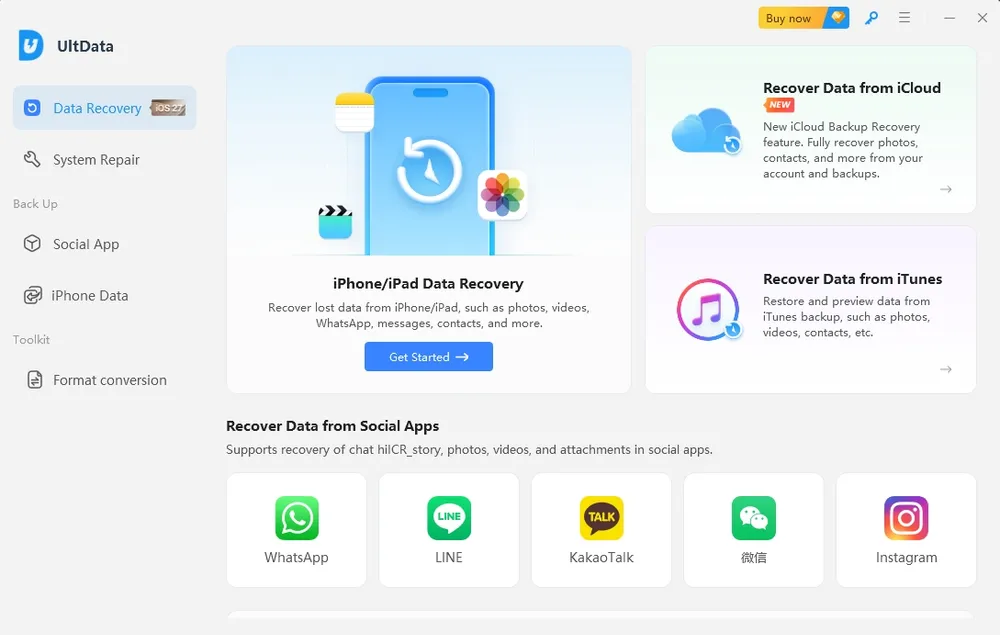
You just deleted an entire photo album. Or maybe your iPhone crashed and wiped your messages. You frantically search "iPhone data recovery," and Tenorshare UltData appears everywhere.
We tested Tenorshare UltData's iPhone data recovery features across device scanning, iTunes backup extraction, and iCloud recovery to see what it can actually recover—and where its limitations appear.
Why Trust Us
Our team consists of trusted data recovery experts with over a decade of experience. We have independently tested and reviewed more than 20 recovery apps and spent thousands of hours analyzing their ability to recover lost or deleted files. Every review we publish is unbiased, transparent, and free from financial influence. Our mission is simple: to deliver honest data recovery reviews that help you choose the right tool for your specific needs.
Apps Tested
20+
Testing Hours
3,000+
Years in Data Recovery
10+
How We Test This
Here's exactly what we used, so you can see for yourself how we got these results.
Item
Details
Test date
2026.08.31
Test device
iPhone 13
iOS version
iOS 26.5
Tenorshare UltData version
10.5.1 (obtained 2026-08-20)
Computer OS
Windows 10
Test dataset
Real-world data from daily device use: ~1,400 photos/videos, contacts, notes, emails, and chat history from WhatsApp, WhatsApp Business, LINE, and Snapchat
Deletion method
Files deleted directly, including permanently clearing "Recently Deleted"
Test process
Fully tested UltData's Device Scan and iCloud Recovery features, with screenshots at each stage
Known limitations this round
Only one device (iPhone 13 / iOS 26.5) was tested.
What Is Tenorshare UltData?
Tenorshare UltData is desktop software for Windows and Mac that recovers data from iOS and Android devices. According to their marketing, it can:
Recover 35+ data types (photos, messages, contacts, WhatsApp, etc.)
Scan directly from your device without backups
Extract data from iCloud and iTunes backups
Fix broken iOS systems
Supports the latest iPhone models and iOS versions according to Tenorshare's current specifications.
It sounds comprehensive. But as I discovered, there's a massive gap between what they promise and what you actually get.
Test Results: What We Actually Found
We put UltData's two main recovery methods to the test — starting with scanning the phone directly.
Recovery Method
What UltData Promises
What I Actually Got
Device Scan (No Backup)
Recover deleted data directly from iPhone
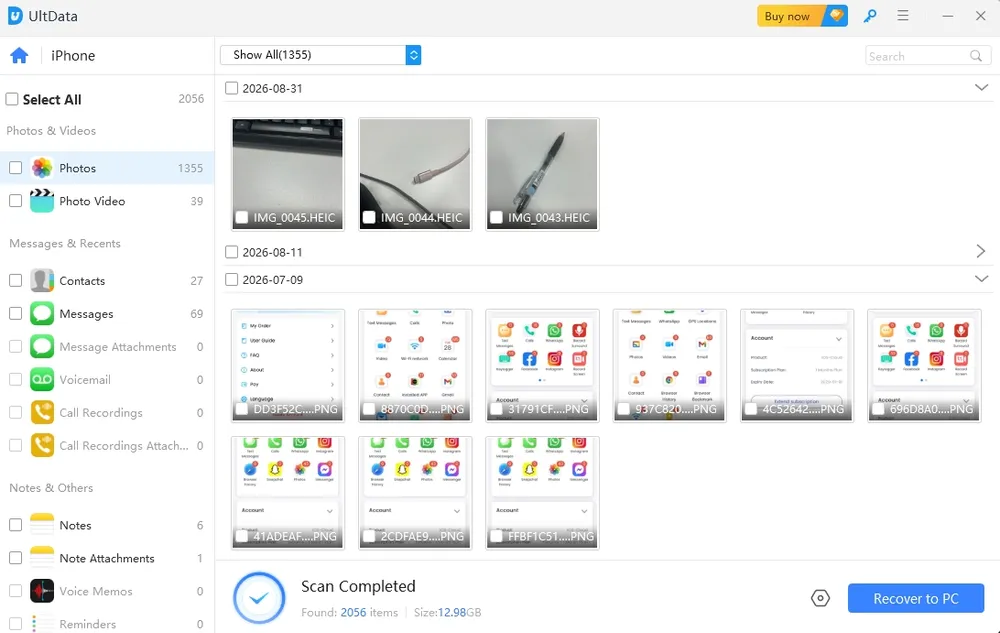
⚠️ Only recovered content still sitting in "Recently Deleted" — the same content you could recover yourself, for free, from the Photos app. ⚠️ Chat apps (WhatsApp, LINE, Snapchat) are marketed as supported, but none of the chat data on our device was recovered.
iTunes Backup
Selective recovery from iTunes backups
✅ Works as advertised—extracts backup data effectively
iCloud Backup
Selective recovery from iCloud backups
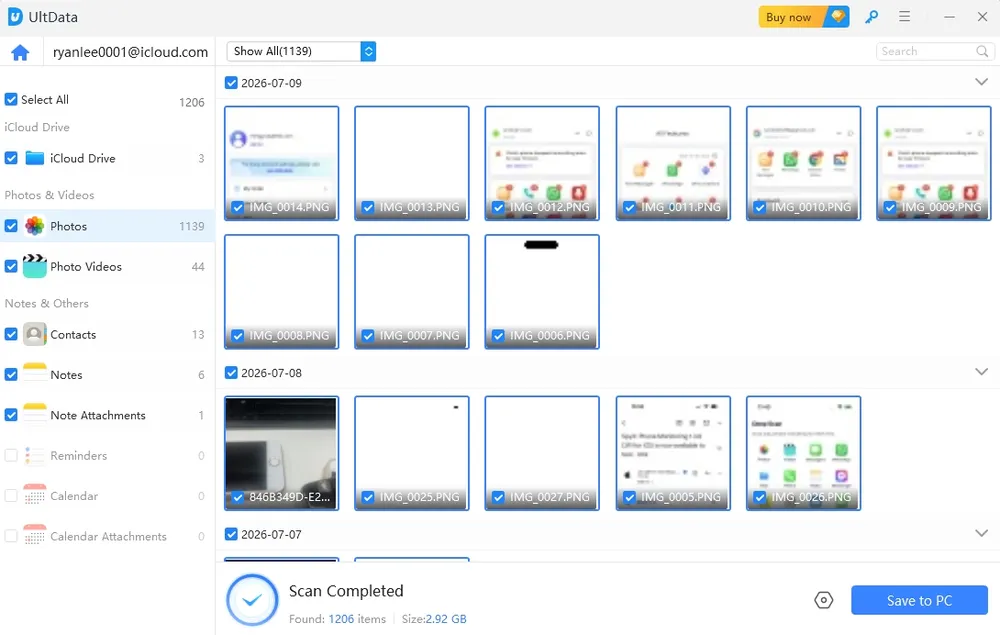
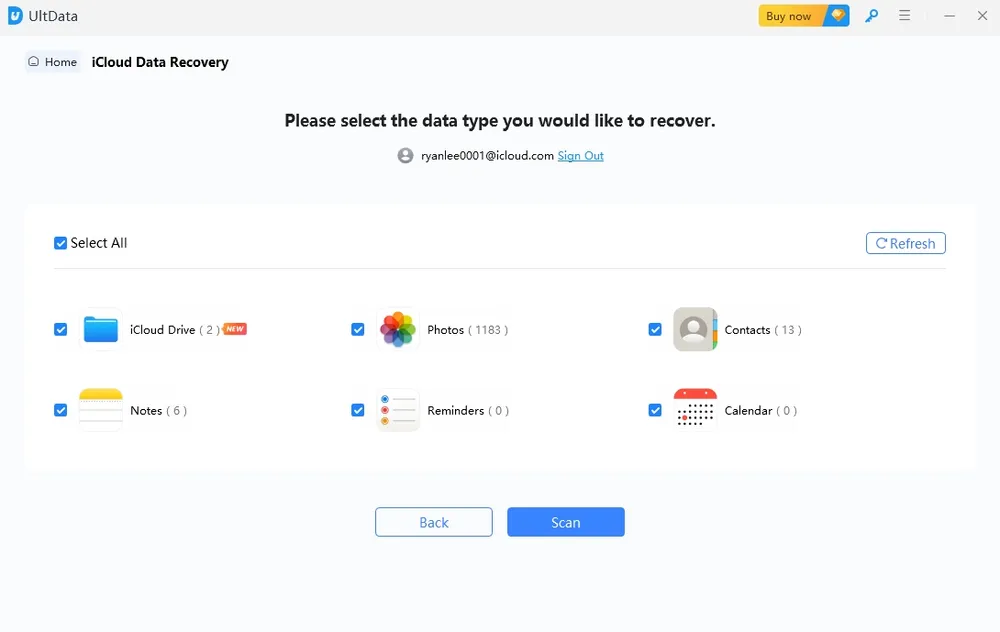
⚠️ Scanned 1,139 photos + 39 videos — matched exactly what was already in our iCloud account. No deleted data was found. ⚠️ Chat data isn't recovered at all. ⚠️Recovered files can only be exported to a computer, not directly back to the phone.
Why the "Recently Deleted" limit exists: since APFS became iOS's default file system (iOS 10.3), each file is encrypted with its own key, and that key is destroyed the moment a file is truly deleted. Once data moves beyond a system-level recycle bin like Recently Deleted, low-level scanning generally can't reconstruct it — regardless of which software is used.
Device Scan complete
iCloud Backup Scan complete
User Experience: Simple But Not Intuitive
What I Liked ✅
3-step process is straightforward: Connect → Scan → Recover
Fast scanning – Completed in 5-10 minutes on average
Preview before recovery helps you select what you need
Multi-device license (5 devices) is generous
What I Didn't Like ❌
Content surfaced by Device Scan was already present in the system's "Recently Deleted" folder; users can recover it themselves for free, and we did not observe recovery beyond that scope
Device Scan claims to support chat apps, but did not surface the chat data that existed on this device
iCloud recovery covers a limited set of data types, does not support chat data, and did not find any genuinely deleted photos/videos in our test
Recovered files can only be exported to a computer, not directly to a phone
How Much Does UltData Cost?
Here's where things get shady. UltData's pricing is designed to manipulate you psychologically.
Official Pricing Structure
License Type
Regular Price
Sale Price
Devices
Upgrades
1 Month
$ 92
$ 45.95
1 PC / 5 devices
For 1 Months
1 Year
$ 100
$ 49.95
1 PC / 5 devices
For 1 year
Lifetime
$ 140
$ 69.95
1 PC / 5 devices
Forever
As of our pricing check on 2026-08-31, UltData's site displayed a 20% discount coupon. We can't confirm how long this discount has been running or whether it's continuous.
My Pricing Recommendation
If you're going to buy UltData:
❌ Skip the monthly plan – at $45.95, it's only $4 cheaper than the full year. You're paying almost the same price to get 1 month instead of 12.
⚠️ 1-year plan is okay - for about $4 more than a single month, you get 12x the coverage.
✅ Lifetime is only makes sense if you're sure you'll need it again down the line — otherwise you're paying $20 more than a year's coverage for something you may only use once.
Safety & Legitimacy: Is Tenorshare UltData Safe?
Is UltData safe to use?
Yes—if you download from the official Tenorshare website, it's malware-free and safe to install.
Is UltData legit?
Yes, Tenorshare is a real company with legitimate software. However, their aggressive marketing tactics (fake discounts, misleading free version) damage their credibility.
Does UltData actually work?
Sometimes. Success rates vary dramatically based on:
Device condition and iOS version
How long ago data was deleted
Whether you have existing backups
Privacy Concerns: One user reported recovering data from the previous owner of their used iPhone. This demonstrates UltData's powerful scanning capability—but also highlights serious privacy risks when selling used devices.
Who Should Consider UltData?
UltData might work for you if:
✅ You need to extract iTunes selectively
✅ You need iOS system repair in addition to data recovery
✅ You own multiple devices (5-device license has value)
✅ You have a small budget
Who Should Avoid UltData?
Skip UltData if:
❌ You need real delated data recovery
❌ You need specialized iPhone-only recovery (better alternatives exist)
❌ You need recovered chat history — not supported through iCloud recovery
❌ Users who need recovered files imported directly back to their phone rather than exported to a computer only
We Also Tested Gbyte iOS Recovery for Comparison
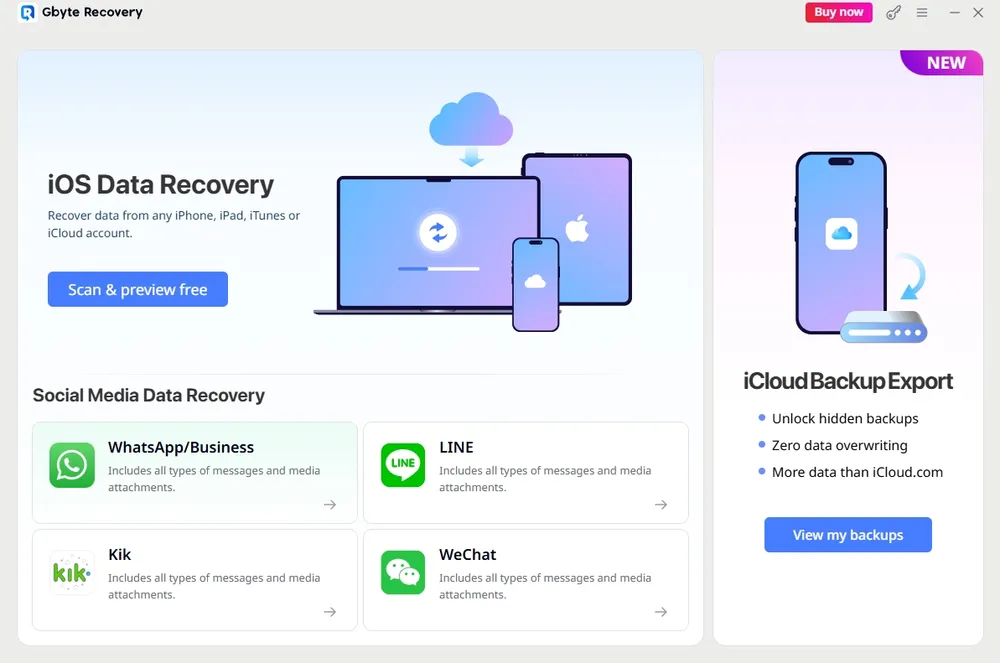
Since UltData is one of several tools people consider for iPhone data recovery, we ran the same real-world dataset through: Gbyte iOS Data Recovery (version 10.8.5, downloaded 2026-08-28) on the same device, to see how the results compare.
Note: Gbyte iOS Recovery does not offer a Device Scan feature or iTunes backup recovery — this isn't something we left untested, it simply isn't part of that product. So the comparison below only covers iCloud recovery and chat data, the areas where both tools overlap.
What Gbyte iPhone Data Recovery Actually Recovered
Recovery Area
What I Actually Got
iCloud Recovery — Photos & Videos
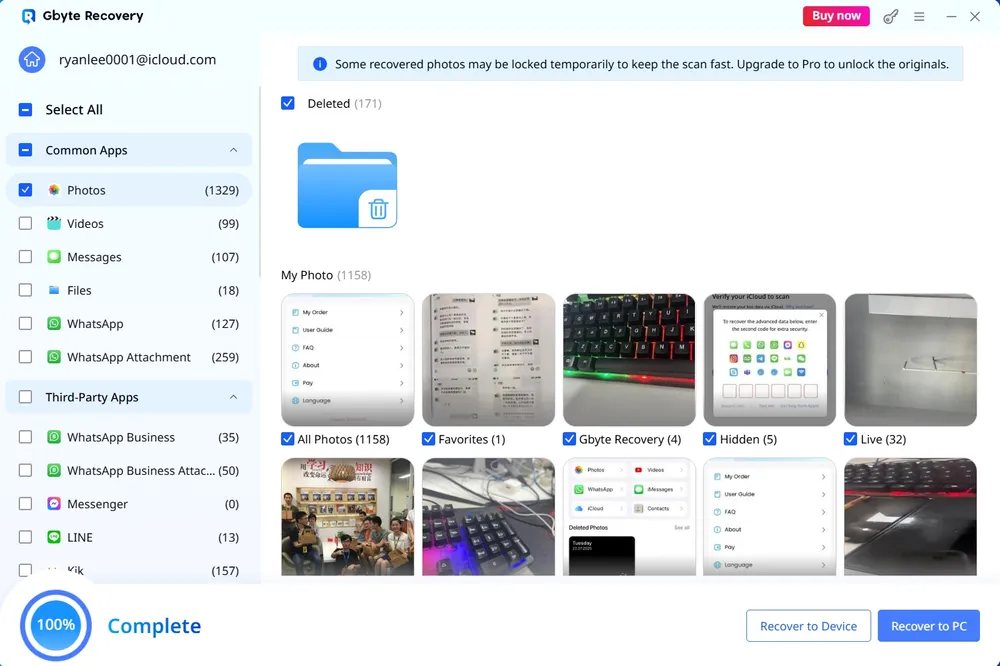
Recovered 171 deleted photos — verified as genuinely deleted, since they no longer appeared anywhere in the current iCloud record
iCloud Recovery — Chat Data
Recovered messages from apps that had already been fully uninstalled: WhatsApp (127), WhatsApp Business (35), LINE (13), Snapchat (2,853). Telegram and Skype are listed as supported but weren't tested — no data of those types existed on this device.
iCloud Recovery — Interface
Clean layout; supports browsing and previewing chat history by contact before choosing what to recover
iCloud Recovery — Export
Two options: export to computer or import directly to the phone
Gbyte — Pricing (checked 2026-08-31)
License Type
Price
1 Month
$49.99
1 Year
$99.99
Lifetime
$149.99
Why Gbyte Outperforms UltData
Higher Success Rates
Gbyte's specialized algorithms are optimized specifically for iOS, resulting in more consistent recovery across different iPhone models and iOS versions.
True Deep Scan Technology
Unlike UltData's basic device scanning, Gbyte uses proprietary deep scan technology with a patented iCloud search method that accesses multiple backup snapshots—not just your most recent one.
No data overwritten.
100% clean & safe.
Tenorshare UltData vs Gbyte iOS Recovery: Head-to-Head
Tenorshare UltData
Gbyte iOS Recovery
Device Scan
✅ Offered (did not recover data beyond Recently Deleted in our test)
Not offered
iTunes backup recovery
✅ Offered (not tested this round)
Not offered
iCloud recovery — supported types
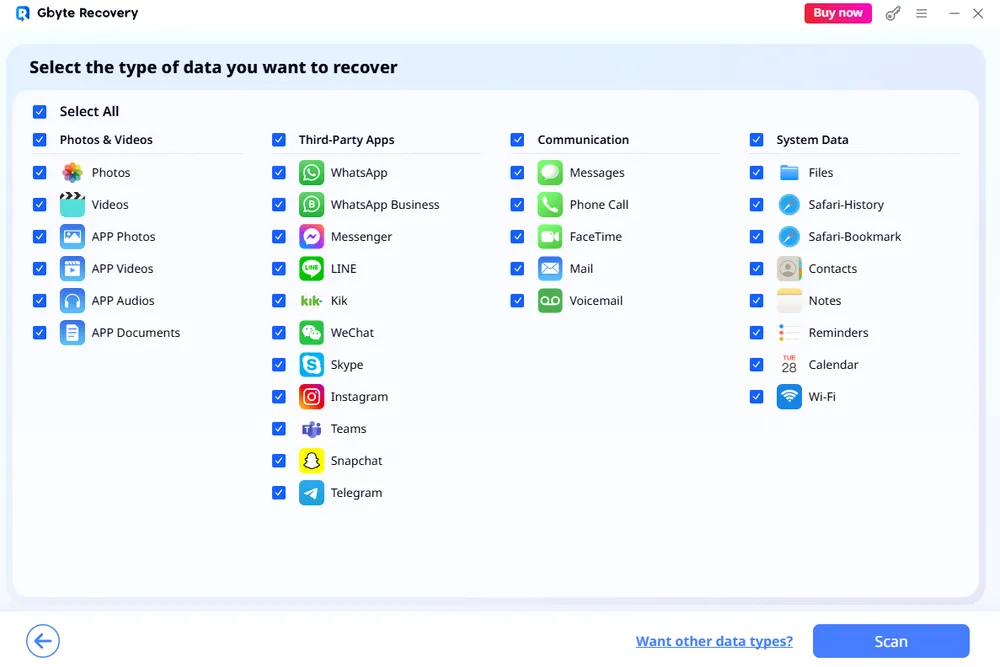
Photos, Videos, Calendar, Contacts, Reminders, Notes
System Data: Files, Safari-History, Safari-Bookmark, Contacts, Notes, Reminders, Calendar, Wi-Fi Data
iCloud recovery — genuinely deleted data found
0 (matched existing iCloud data)
✅ 171 photos
Chat data recovery (uninstalled apps)
Not recovered via iCloud or Device Scan
✅ WhatsApp 127 / WhatsApp Business 35 / LINE 13 / Snapchat 2,853 messages
Export options
Computer only
✅ Computer or direct to phone
Pricing (as of 2026-08-31)
$45.95/mo · $49.95/yr · $69.95 lifetime (20% off coupon shown at check)
$49.99/mo · $99.99/yr · $149.99 lifetime
Customer support
FAQ-based
✅ 24/7 live chat
Which Tool Should You Choose?
Choose Tenorshare UltData if:
You need to recover data from both iOS and Android
You want iOS system repair features included
Budget is your absolute top priority
You're comfortable with inconsistent results
Choose Gbyte Recovery if:
You own an iPhone and want the most reliable recovery
You need access to multiple iCloud backup snapshots
You value consistent results over saving $20
You want specialized, professional-grade iPhone recovery
My Final Verdict
After testing, here's my honest assessment:
In our testing, UltData's Device Scan did not recover data beyond what was already in the system's Recently Deleted folder — a limitation tied to how iOS's file system handles deletion (see the technical background above), not specific to this software alone. Its iCloud recovery has a clean interface, but in our test it didn't find any genuinely deleted photos or videos, doesn't support chat data, and only exports to a computer. Its clear advantage is support for iTunes local backup recovery, a capability we didn't find in Gbyte iOS Recovery, which we also tested for comparison.
Gbyte, tested under the same conditions, recovered 171 verified deleted photos through iCloud recovery and can import files directly to a phone. In our chat-data test, it recovered messages from apps that had already been uninstalled entirely — something UltData did not do through either iCloud recovery or Device Scan. That said, Gbyte is priced higher across the board and doesn't support iTunes backup recovery.
FAQs About Tenorshare UltData
Q1: Is Tenorshare UltData safe and legitimate?
Yes, Tenorshare UltData is safe to use when downloaded from the official website. It's legitimate software from a real company.
Q2: Can I recover data with the free version of UltData?
No. The free version only allows you to scan and preview potentially recoverable data—you cannot export or recover anything without purchasing a license. This "preview-only" limitation frustrates many users who expect actual recovery capabilities. If you want to test recovery before buying, Gbyte iOS Recovery offers a more honest free trial with limited actual recovery, not just previews.
Q3: Is UltData or Gbyte cheaper?
As of 2026-08-31: UltData is priced at $45.95/month, $49.95/year, and $69.95 for a lifetime license, with a 20% discount coupon showing at checkout. Gbyte iOS Recovery is priced higher across every tier — $49.99/month, $99.99/year, and $149.99 for a lifetime license.
Q4: Does UltData's device scan find data that's not in "Recently Deleted"?
In our testing on iPhone 13 (iOS 26.5), the items UltData's device scan surfaced were already present in the device's own Recently Deleted folder — we did not observe recovery beyond that scope, including for chat app data. Results may differ on other devices or deletion scenarios, which we have not tested.
Q5: How does UltData compare to other iPhone recovery tools?
We also tested Gbyte iOS Recovery under the same conditions — see the comparison section above for the full results.
Q6: Can UltData recover permanently deleted photos and messages?
Sometimes, but results are highly inconsistent. My testing showed UltData successfully recovered recently deleted photos in some cases, but failed to find many deleted items in others. One user reported finding only 1 video out of many deleted files. For more reliable permanent deletion recovery with higher success rates, Gbyte iOS Recovery uses advanced scanning algorithms specifically optimized for iOS devices.
Q7: Does UltData support iTunes backup recovery?
Yes, this is listed as a core feature. We did not run a dedicated test of the iTunes-recovery workflow this round.
Gbyte Recovery
Recover deleted photos, messages & files in 3 clicks
Free scan & preview • 100% safe
Gbyte Recovery
Get your lost data back — fast & effortless
Recover deleted photos, messages & files in 3 clicks