

Gbyte Repair

Gbyte Repair
Fix 150+ iOS issues yourself, no tech skills needed, no data loss
Table of contents
Quick Answer: There is no single iPhone repair tool that is best for everyone. The right choice depends on the iOS problem you're dealing with, the repair experience you prefer, the devices you need to cover, and whether you need features beyond system repair.
Based on our testing and feature comparison:
Gbyte Repair is a good choice for users who want a straightforward, repair-focused experience with flexible data options, multi-device plans, and free Recovery Mode entry and exit.
Tenorshare ReiBoot is a more established option with additional iOS utilities and broad Apple device support.
UltFone iOS System Repair offers a feature set, workflow, and pricing structure very similar to ReiBoot, making the choice between them largely dependent on preference.
Wondershare Dr.Fone is better suited to users who want an all-in-one phone toolkit rather than system repair alone.
iMyFone Fixppo combines a focused iOS repair experience with additional tools, including iOS upgrade/downgrade and data backup.
iToolab FixGo stands out for its simple, repair-focused interface, with Standard and Advanced repair modes displayed directly on the main screen.
iMobie AnyFix offers a well-rounded set of system utilities, including iOS upgrade/downgrade, device reset, and iTunes repair.
Below, we explain how we tested each tool, compare their repair modes, pricing, device coverage, and additional features, and share the strengths and limitations we found during testing.
iPhone repair software is mainly designed for software-related iOS problems, such as an iPhone stuck on the Apple logo, a boot loop, recovery mode issues, or a failed iOS update. It is not the right solution for every iPhone problem, especially when physical or hardware damage is involved.
Before using a repair tool, simple troubleshooting such as a force restart or retrying an iOS update may be enough. Apple’s Finder, iTunes, or Apple Devices app can also update or restore iOS, although a full restore erases the device.
An iOS system repair tool becomes worth considering when basic troubleshooting has not worked, you want a more guided repair process, or you want to try a data-preserving software repair before performing a factory restore.
In this guide, we compare seven iPhone repair tools based on their repair options, data-loss risk, ease of use, compatibility, additional features, pricing, and our hands-on testing.
iPhone repair software, also known as iOS system repair software, is designed to fix software-related iOS problems through a guided repair process. These tools typically reinstall or repair iOS system components and can help with issues such as an iPhone stuck on the Apple logo, boot loops, recovery mode problems, or failed iOS updates.
Most iOS repair tools offer more than one repair mode. A standard or basic repair is typically designed to fix common system issues while preserving user data, while a deeper repair may reinstall iOS more thoroughly and can involve data loss. Some tools also include additional features such as entering or exiting Recovery Mode, iOS upgrade or downgrade, device reset, or data backup.
To make the comparison more consistent, we tested all seven iPhone repair tools under the same general conditions and followed their repair workflows.
Test Item | Setup |
Computer | Windows 10 PC |
Test device | iPhone XR |
iOS version | iOS 18.7.9 |
Test scenario | iPhone XR stuck on the Apple logo |
Connection | Same computer and USB connection |
Firmware | Firmware recommended and downloaded through each tool |
Test date | 2026.08.28 |
Most of the tools follow a broadly similar process for common software-related iOS problems: connect the iPhone, select a repair mode, download the appropriate firmware, and start the system repair. All seven tools successfully repaired the test iPhone XR from the Apple logo issue, and the device returned to normal operation afterward.
During testing, we paid particular attention to device detection, repair workflow, repair modes, ease of use, firmware download, data-loss warnings, supported devices, extra iOS utilities, pricing, and license coverage.
Item | Gbyte Repair | Tenorshare ReiBoot | UltFone iOS System Repair | Wondershare Dr.Fone | iMyFone Fixppo | iToolab FixGo | iMobie AnyFix |
Standard Mode | ✅ | ✅ | ✅ | ✅ | ✅ | ✅ | ✅ |
Deep/Advanced Mode | ✅(DFU Professional Repair) | ✅ | ✅ | ✅ | ✅ | ✅ | ✅ |
Keep Data Option in Deep/Advanced Repair | ✅ | ❌ | ❌ | ❌ | ❌ | ❌ | ❌ |
Free Recovery Mode Entry/Exit | ✅ | ✅ Free entry | ✅ Free entry | ✅ Free entry | ✅ | ✅ | ✅ Free entry |
iOS Upgrade/Downgrade | ❌ | ✅ | ✅ | ✅ | ✅ | ✅ | ✅ |
Supported Apple Devices | iPhone/iPad | iPhone/iPad/iPod/Apple TV | iPhone/iPad/iPod/Apple TV | iPhone/iPad/iPod touch | iPhone/iPad/Apple TV | iPhone/iPad/Apple TV | iPhone/iPad/iPod/Apple TV |
Available for | Windows | Windows & Mac | Windows & Mac | Windows & Mac | Windows, Mac, Android & iOS | Windows & Mac | Windows & Mac |
Devices per License | 5 devices / 1 PC (monthly); | 5 devices / 1 PC (Mac) per plan | 5 devices / 1 PC (Mac) per plan | 5 Devices / 2 PCs (Mac) per plan | 1 device (monthly & yearly plans) | 5 devices / 1 PC (Mac) per plan | 1 device / 1 computer (monthly ); |
Starting Price | $24.99 | $24.95 (Win) | $24.95 (Win) | $24.95 (Win) | $29.99 (Basic) | $29.95 (Win) | $35.99 |
Money-Back Guarantee | 30 days | 30 days | 30 days | 7 days for iOS system repair | 30 days | 30 days | 7 days for 1-month subscription; 60 days for 1-year & lifetime subscription |
Note: Starting prices shown are the lowest currently available individual plans at the time of writing and may vary by platform, plan length, or promotion. "Available for" reflects the platforms currently listed by each developer.
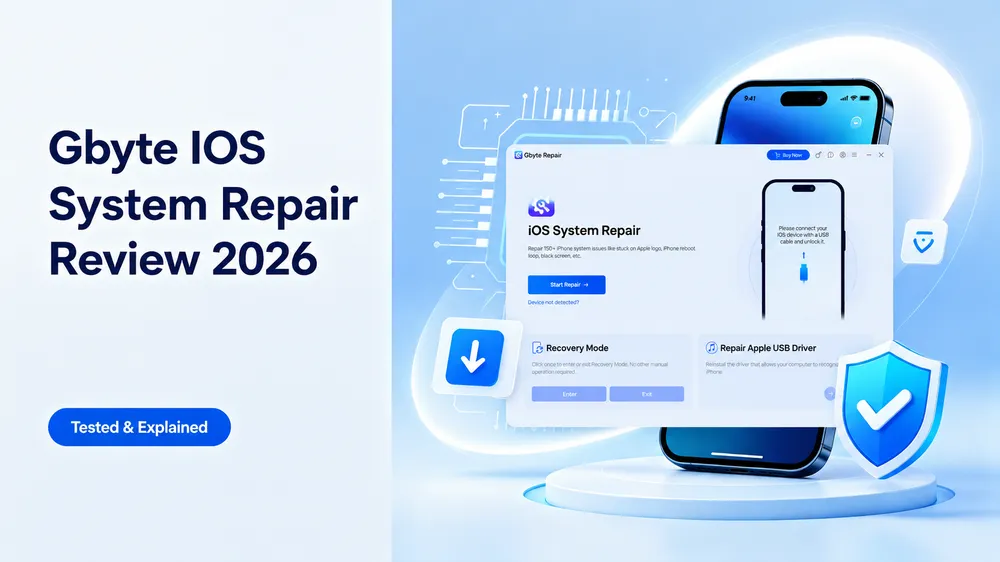
Gbyte Repair is a dedicated iOS system repair tool for software-related problems. Compared with larger phone utility suites, it keeps its interface and workflow focused primarily on iOS repair and related system tools.
A notable difference in the latest version is that data handling is no longer tied to repair depth: both Standard Repair and the deeper DFU Professional Repair let you choose between Keep Data and Erase Data.
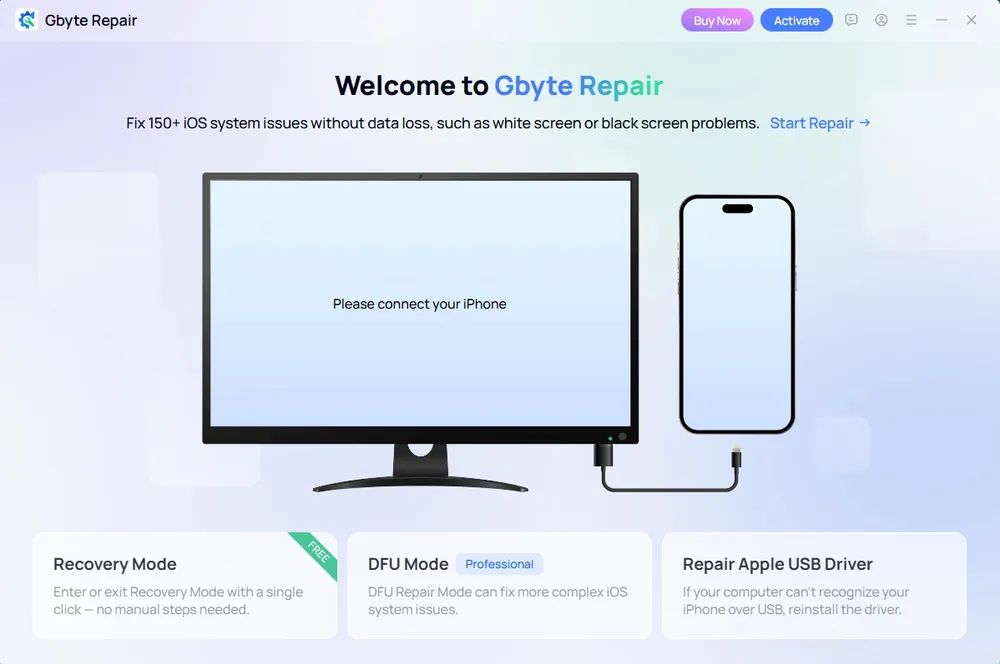
Our Testing Experience: The software recognized the device without issue, and the repair process was straightforward. The interface provided clear guidance throughout the process, and we encountered no problems with device detection or firmware download.
Pricing Plan:
Plan | Price | Devices |
Monthly | $24.99 | 5 devices / 1 PC |
Yearly | $44.99 | 6 devices / 1 PC |
Lifetime | $69.99 | 8 devices / 1 PC |
Pros

Keep Data or Erase Data available in both Standard and DFU Professional Repair
Free one-click Recovery Mode entry and exit
Straightforward, repair-focused interface that is easy to follow
Multi-device licenses covering 5–8 mobile devices on 1 PC
Cons

Currently available for Windows only
Does not currently offer a dedicated iOS upgrade/downgrade feature
Does not support iPod touch or Apple TV
Want a closer look at the interface, repair process, performance, and pricing? Read our full Gbyte Repair review for more hands-on testing across different iOS repair scenarios.
Tenorshare ReiBoot is a long-established iOS system repair tool that combines standard system repair with additional utilities such as iOS upgrade/downgrade, device reset, and data backup/restore. It supports a broader range of Apple devices and is available for both Windows and Mac.
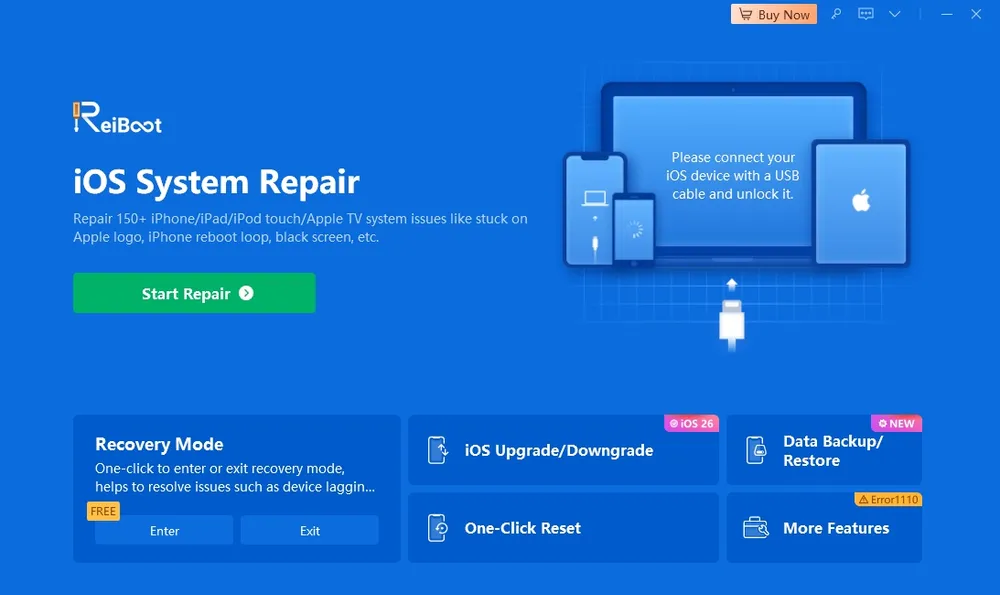
Our Testing Experience: ReiBoot recognized our test iPhone without issue, and the overall repair workflow was smooth. The on-screen guidance made it easy to select a repair mode and download the required firmware package.
Pricing Plan:
Windows
Plan | Price | Device |
Monthly | $24.95 | 1 PC, 5 devices |
Annual | $51.95 | 1 PC, 5 devices |
Lifetime | $89.95 | 1 PC, 5 devices |
Mac
Plan | Price | Device |
Monthly | $39.95 | 1 Mac, 5 devices |
Annual | $59.95 | 1 Mac, 5 devices |
Lifetime | $92.95 | 1 Mac, 5 devices |
Pros
Established iOS repair tool
Includes additional utilities such as iOS upgrade and downgrade
Supports Windows and Mac
Broad Apple device support, including iPhone, iPad, iPod touch, and Apple TV
Cons
Higher starting price, with the most expensive lifetime plan among the seven tools
Free Recovery Mode functionality includes entry but not exit
Users focused only on system repair may pay for extra features they don't need
UltFone iOS System Repair is an iOS repair tool that combines system repair with additional utilities such as iOS upgrade/downgrade, device reset, Recovery Mode management, and backup/restore. It supports Windows and Mac, as well as iPhone, iPad, iPod touch, and Apple TV.
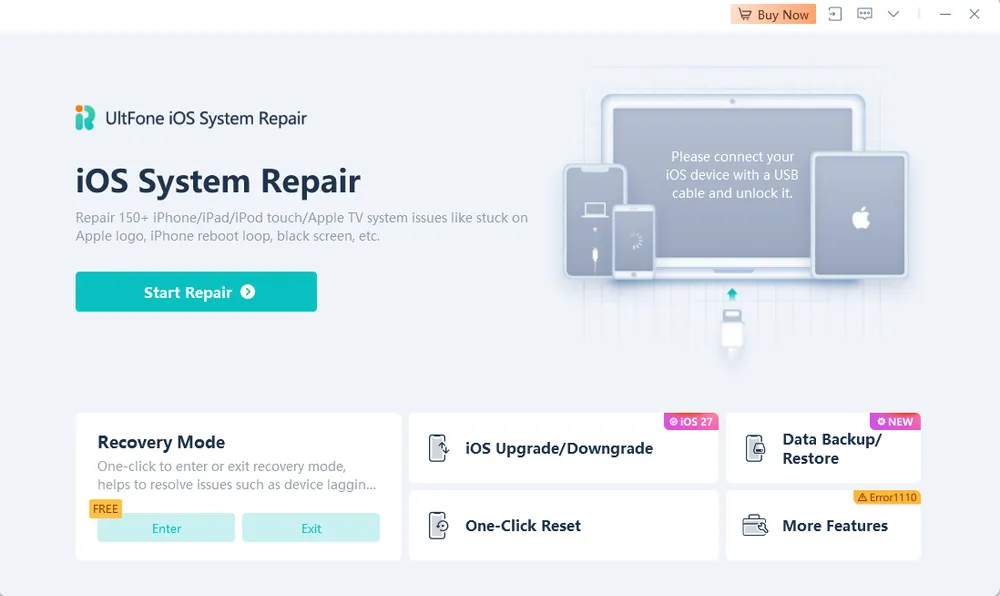
Our Testing Experience: UltFone was easy to navigate, especially after testing ReiBoot, as many of the controls and repair options felt immediately familiar. During testing, we noticed that its interface, repair workflow, feature set, and pricing were very similar to ReiBoot. Both tools guided us through a similar repair process.
Pricing Plan:
Windows
Plan | Price | Device |
Monthly | $24.95 | 1 PC, 5 devices |
Annual | $49.95 | 1 PC, 5 devices |
Lifetime | $79.95 | 1 PC, 5 devices |
Mac
Plan | Price | Device |
Monthly | $39.95 | 1 Mac, 5 devices |
Annual | $59.95 | 1 Mac, 5 devices |
Lifetime | $89.95 | 1 Mac, 5 devices |
Pros
Includes additional utilities such as iOS upgrade/downgrade, device reset, and backup/restore
Supports Windows and Mac
Broad Apple device support, including iPhone, iPad, iPod touch, and Apple TV
Cons
Higher starting price: $24.95 for Windows and $39.95 for Mac
Features, interface, and pricing are highly similar to ReiBoot, giving users fewer obvious reasons to choose one over the other
Free Recovery Mode exit is limited to 5 uses
Wondershare Dr.Fone takes a different approach from dedicated iOS repair tools. Its System Repair feature is part of a broader phone toolkit that also includes data recovery, phone transfer, screen unlock, data eraser, and other device management utilities, making it more suitable for users who want multiple phone tools in one package.
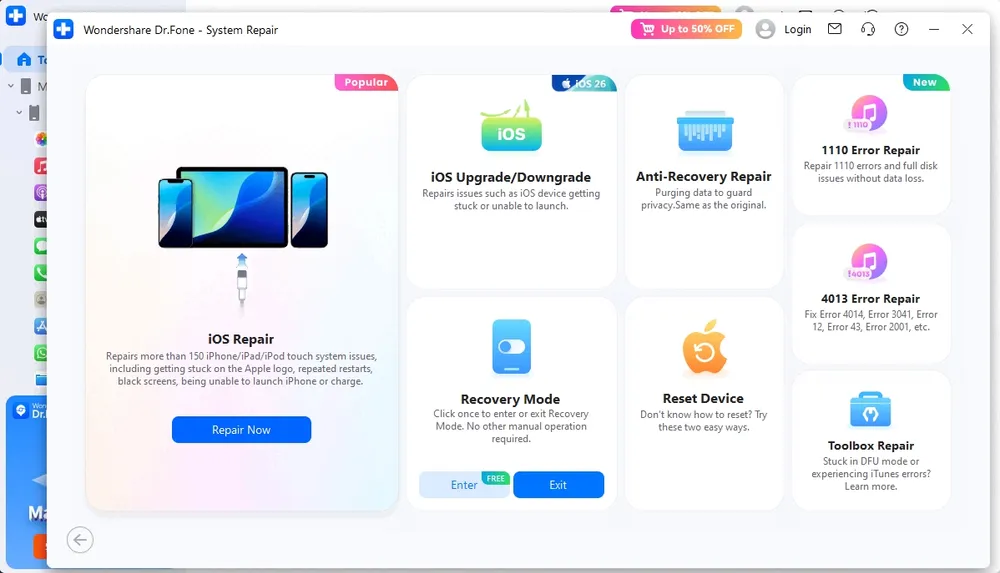
Our Testing Experience: Dr.Fone successfully recognized our test iPhone and completed the repair process without issues. What stood out most was the broader toolkit-style interface: System Repair is only one part of the Dr.Fone suite, so there are more tools and options to navigate than with repair-focused software. The repair workflow itself was guided and easy to follow once we entered the System Repair module.
Pricing Plan (only iOS System Repair):
Windows
Plan | Price | Devices |
Monthly | US$24.95 | 5 devices / 2 PCs |
Annual | US$49.95 | 5 devices / 2 PCs |
Perpetual | US$69.95 | 5 devices / 2 PCs |
Mac
Plan | Price | Devices |
Monthly | US$19.95 | 5 devices / 2 Mac |
Annual | US$59.95 | 5 devices / 2 Mac |
Perpetual | US$79.95 | 5 devices / 2 Mac |
Pros
Broad toolkit combining iOS system repair with other phone utilities
Supports Windows, Mac, and multiple Apple devices
Supports 2 computers per plan
Lower starting price for Mac users at $19.95
Cons
Exiting Recovery Mode requires a paid license
The feature-rich toolkit can add extra complexity for users who just want a straightforward repair process
Plans mainly differ by subscription length, with few meaningful differences in features or device coverage
Only a 7-day money-back guarantee, shorter than most other tools in this comparison
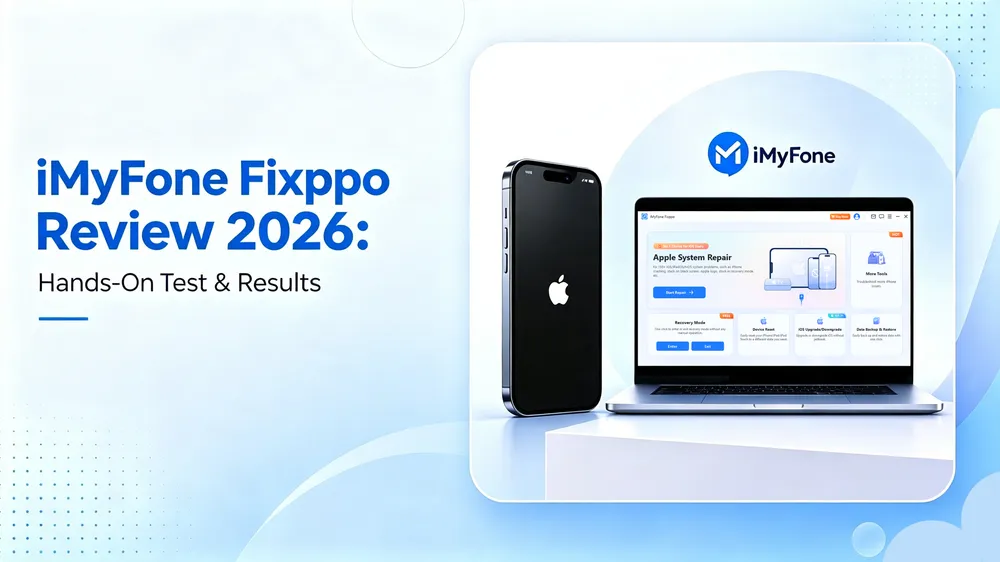
iMyFone Fixppo is primarily an iOS system repair tool, with Standard and Advanced repair modes plus utilities such as iOS upgrade/downgrade and device reset. It also provides access to other tools, including GPS location changing and iPhone unlocking, while remaining mainly focused on iOS repair.
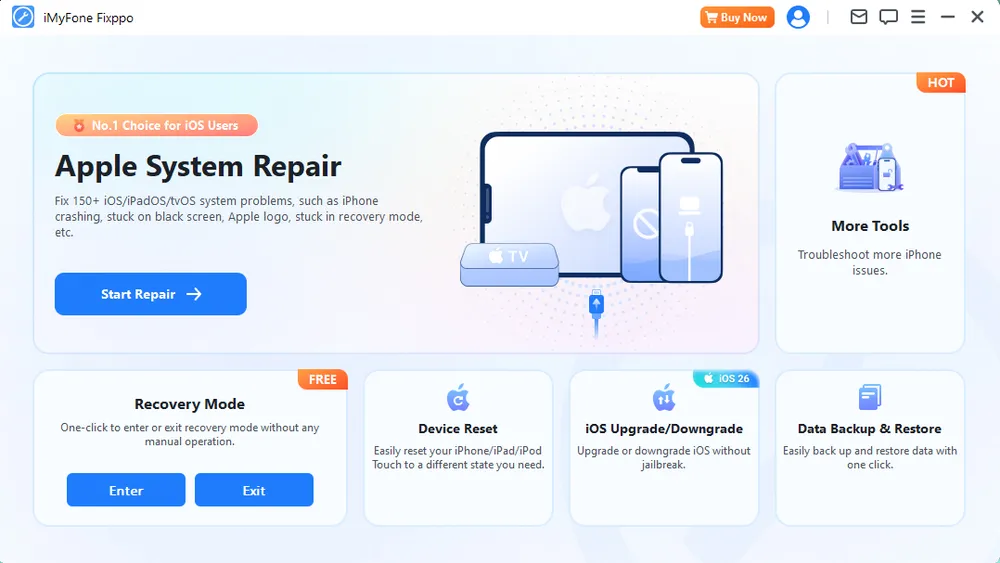
Our Testing Experience: Our test iPhone returned to normal after the repair with Fixppo. The software felt relatively focused compared with larger phone toolkits, with its main repair options easy to find. The repair workflow was straightforward, and the distinction between Standard and Advanced Mode made the potential data impact clear before proceeding.
Pricing Plan:
The Basic plan focuses primarily on iOS system repair.
Plan Tier | Price | Devices |
Monthly | $29.99 | 1 iOS device |
Annual | $49.99 | 1 iOS device |
Lifetime | $59.99 | 5 iOS devices |
Pros
Dedicated, relatively straightforward iOS system repair experience
Offers iOS upgrade/downgrade and data backup in addition to system repair
Recovery Mode entry and exit are both free
Available for Windows, macOS, Android, and iOS
Cons
Monthly and yearly Basic plans support only 1 iOS device, which is restrictive for users with multiple devices
The $29.99 entry plan provides only one month of access
iToolab FixGo is a repair-focused tool offering two main repair options—Standard Mode and Advanced Mode—along with Recovery Mode entry and exit. It supports system repair for iPhone, iPad, and Apple TV and is available for both Windows and Mac.
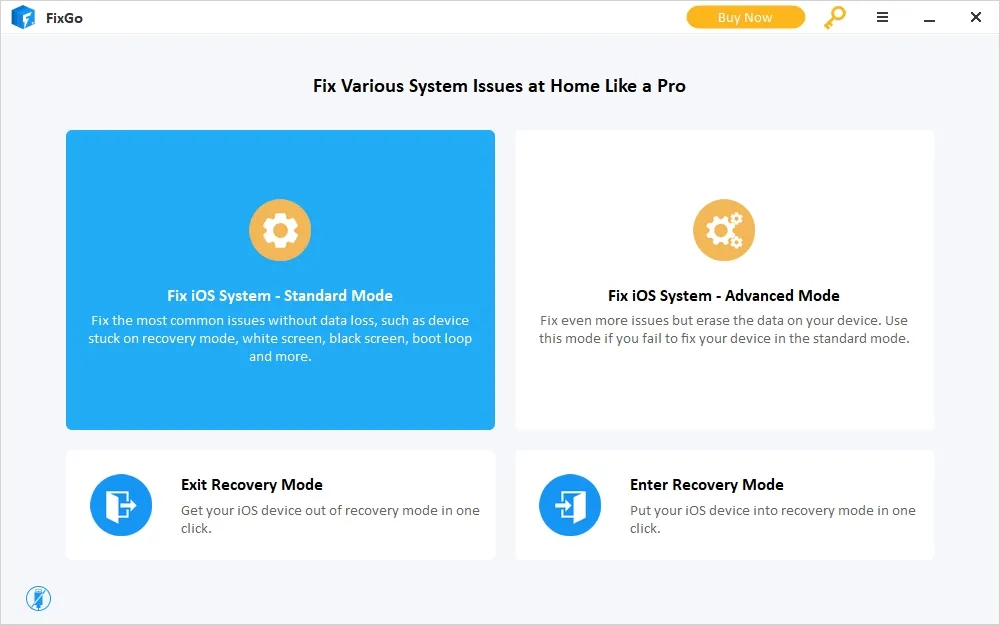
Our Testing Experience: FixGo had one of the simplest interfaces among the tools we tested. It was the only one that displayed both Standard Mode and Advanced Mode directly on the main screen, making the two repair options and their data implications easy to compare. However, the starting point was less obvious because the interface did not clearly prompt us to connect the iPhone via USB before choosing a repair mode. Once we selected a mode, the repair process itself was direct and easy to follow.
Pricing Plan:
Windows
Plan | Price | Devices |
Monthly | US$29.95 | 5 devices / 1 PC |
Annual | US$35.95 | 5 devices / 1 PC |
Perpetual | US$49.95 | 5 devices / 1 PC |
Mac
Plan | Price | Devices |
Monthly | US$35.95 | 5 devices / 1 Mac |
Annual | US$39.95 | 5 devices / 1 Mac |
Perpetual | US$59.95 | 5 devices / 1 Mac |
Pros
Repair-focused interface without unrelated phone management tools
Displays Standard and Advanced Mode directly on the main screen, making the repair options easy to compare
Recovery Mode entry and exit are both free
Small price gap between monthly and annual plans, making the annual plan better value for users who need the software for longer
Cons
The main screen provides limited first-step guidance, with no clear prompt to connect the iPhone via USB before choosing a repair mode
Mac plans have a higher entry price
Plans mainly differ by subscription length, with few meaningful differences in features or device coverage
iMobie AnyFix combines iOS system repair with several system-related utilities, including iOS upgrade/downgrade, device reset, and iTunes repair. It is designed to fix software-related system issues across iPhone, iPad, iPod touch, and Apple TV, such as devices stuck on the Apple logo, frozen screens, boot loops, and failed iOS updates.
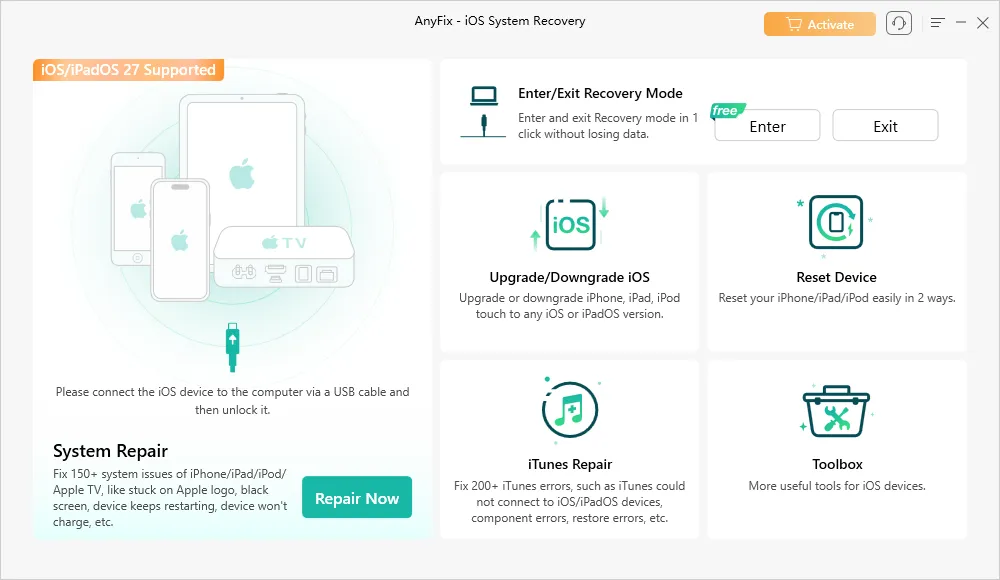
Our Testing Experience: AnyFix presented more tools on its main screen than repair-focused software such as FixGo, but the interface remained well organized. The System Repair section was easy to identify, and the software clearly prompted us to connect and unlock the iPhone before starting. Once inside System Repair, the different repair modes and their data implications were clearly explained.
Pricing Plan:
Plan | Price | Devices |
Monthly | US$35.99 | 1 device / 1 computer |
Annual | US$39.99 | 5 devices / 1 computer |
Perpetual | US$59.99 | 5 devices / 1 computer |
Pros
Well-organized interface with clear first-step guidance for connecting the device
Includes additional system utilities such as iOS upgrade/downgrade, device reset, and iTunes repair
Annual and lifetime plans include a 60-day money-back guarantee, the longest among the seven tools compared
Same pricing for Windows and Mac, with no Mac price premium
Cons
Recovery Mode exit requires a paid license, while entry is free
Monthly plan supports only 1 device / 1 computer and comes with only a 7-day money-back guarantee
Higher entry price at $35.99
When comparing iPhone repair software, focus on the factors that can actually affect your repair experience and overall cost:
Repair Mode and Data Risk: Check whether the software offers a data-preserving repair mode and understand which deeper repair options may erase your data. Backing up your iPhone before any system repair is still recommended.
Ease of Use: Look for clear device-connection instructions, understandable repair-mode descriptions, and guidance throughout the repair process. This can make a significant difference if you have never used iOS repair software before.
Device and Platform Compatibility: Make sure the tool supports your iPhone or other Apple device, current iOS/iPadOS version, and computer operating system. Some tools are Windows-only, while others support both Windows and Mac.
Features You Actually Need: Extra utilities such as Recovery Mode entry/exit, iOS upgrade/downgrade, device reset, or iTunes repair can be useful—but they may not be worth paying for if you only need basic system repair.
Pricing, License Coverage, and Refund Policy: Compare more than the starting price. Check how many devices and computers each plan covers, whether monthly and annual plans differ meaningfully, and how long the money-back guarantee lasts.
Not always. Standard or data-preserving repair modes are typically designed to fix common iOS system issues without erasing user data, while Advanced or Deep repair modes may erase the device. Always check the data-loss warning for the repair mode you choose and back up your iPhone when possible.
Reputable iPhone repair software is generally safe to use when downloaded from the developer’s official website. Before starting a repair, check the repair mode, data-loss warnings, device compatibility, and refund policy. Avoid unofficial or modified downloads from unknown sources.
Most iPhone repair software requires a paid license for full system repair, so there are few truly free options. However, some tools provide certain utilities for free. For example, Gbyte Repair offers free Recovery Mode entry and exit, while ReiBoot provides free Recovery Mode entry. Check exactly what the free version includes before downloading.
Possibly, if the problem is software-related. Start with a force restart. If the iPhone remains stuck, a data-preserving Standard Repair mode may help repair the iOS system without intentionally erasing your data. Back up the device first whenever possible.
It depends on what caused the iPhone to become unresponsive. iOS repair software may help when the problem is caused by corrupted system files, an interrupted update, or another software issue. It cannot repair physical damage or failed hardware components.
Repair time varies depending on the tool, repair mode, firmware size, internet speed, and computer performance. Firmware download can account for a significant part of the process, while deeper repair modes may take longer than standard repair. Keep the iPhone connected until the software confirms that the process is complete.
It depends on the software and when its compatibility was last updated. Major iOS repair tools are usually updated for newer iOS versions, but support can vary by tool, device model, and repair feature. Check the developer’s current compatibility information before starting a repair.
After testing and comparing these seven iPhone repair tools, Gbyte Repair is our recommended choice for users looking for a straightforward, repair-focused solution. Its competitive pricing, multi-device plans, free Recovery Mode entry and exit, and simple repair workflow make it a strong overall option.
Other tools may be a better fit if you need broader utilities or specific platform support, so consider the features and license terms that matter most to you.
Share


Related articles


Copyright @2026 Gbyte. All rights reserved.
The installation wizard will automatically start after downloading.
After registration, the recovery process can be managed through the web interface.
You get it all with your purchase - no locked features, no hidden limitations.