

Gbyte Unlock

Gbyte Unlock
Safely remove any iPhone/iPad screen lock in a few clicks.
Table of contents
Quick Overview
Gbyte Unlock is designed for users who need to regain access to a locked iPhone after forgetting their screen passcode. I tested Gbyte Unlock on an iPhone 12 mini to evaluate the complete unlocking process, including device detection, firmware preparation, and final passcode removal.
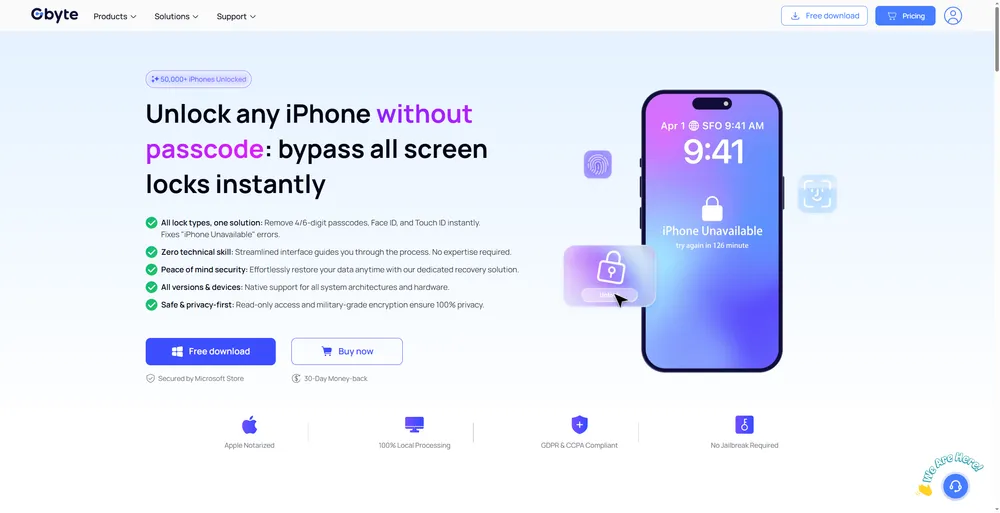
When you forget your iPhone passcode, the biggest problem is losing access to your own device. Many users search for an unlocking tool because they want a simple way to remove the screen lock and use their iPhone again.
Gbyte Unlock is an iPhone unlocking software designed to help users remove forgotten screen passcodes and regain access to locked devices. It focuses on providing a guided unlocking process without requiring complicated technical steps.
Unlike traditional methods that may require searching through different recovery options, Gbyte Unlock provides a clear workflow that guides you through the unlocking process step by step.
To understand how Gbyte Unlock performs in a real situation, I tested its main unlocking process on a locked iPhone. The test focused on the complete workflow, from device recognition to the final screen passcode removal.
To understand how Gbyte Unlock performs in a real situation, I tested its main unlocking process on a locked iPhone. The test focused on the complete workflow, from device recognition to the final screen passcode removal.
Item | Details |
Software Tested | Gbyte Unlock |
Device Tested | iPhone 12 mini |
iOS Version | iOS 26.5.2 |
Computer System | Windows 11 |
Test Feature | Remove Forgotten iPhone Passcode |
Software Version | v1.0.6 |
Test Date | September 3, 2026 |
Result | Detail |
Firmware download | 6 min |
Passcode removal | 5 min |
Total time | 11 min |
Outcome | Passcode removed successfully; device restarted and required setup as new |
For my test, I used an iPhone 12 mini that I could no longer access because of a forgotten screen passcode. Since Gbyte Unlock is designed mainly for this situation, I focused on the complete unlocking experience, including device recognition, firmware preparation, and the final passcode removal process.
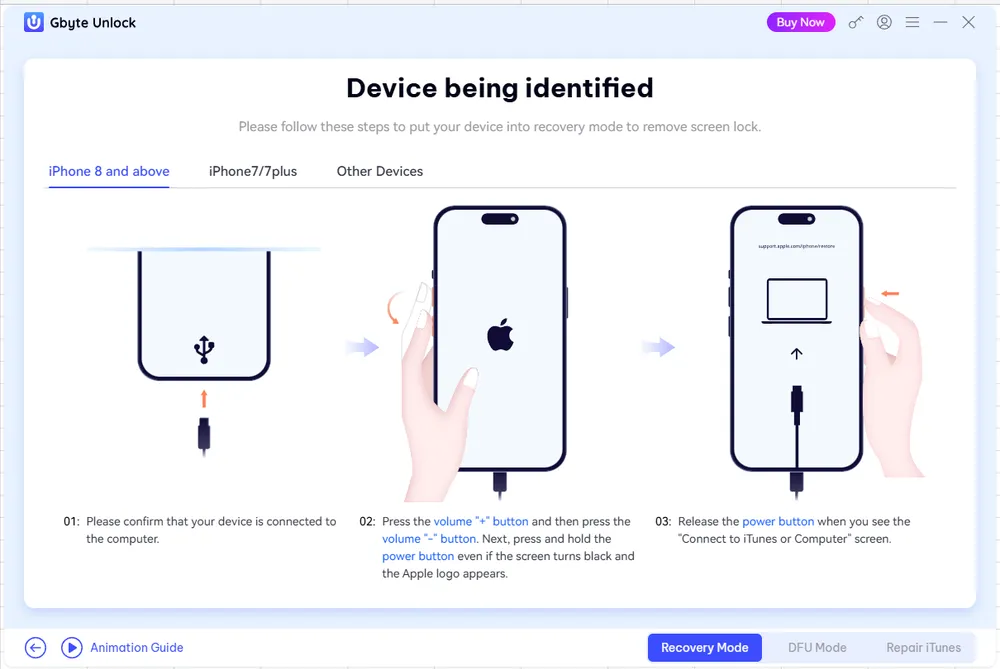
After launching Gbyte Unlock and connecting the iPhone to my Windows PC, the software recognized the device and displayed the detected device information. I noticed that the process was quite straightforward — instead of requiring users to search through complicated settings, Gbyte Unlock provided step-by-step guidance directly inside the software.
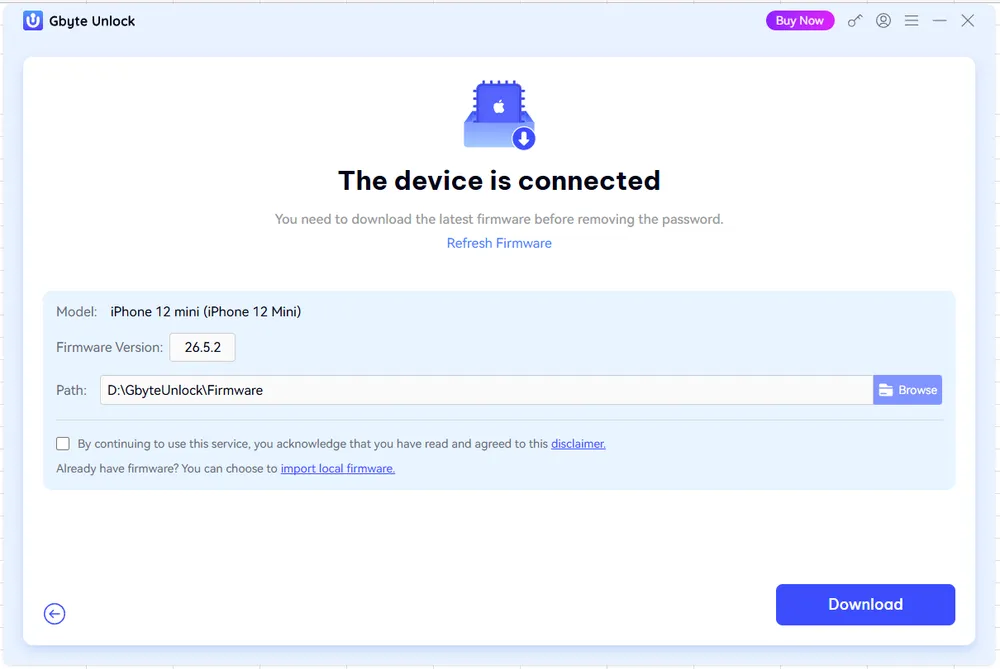
The next step was preparing the required firmware package. Gbyte Unlock automatically guided me through the firmware download and verification process before starting the unlock. The download took several minutes, which was expected since iPhone firmware files usually require several gigabytes of storage.
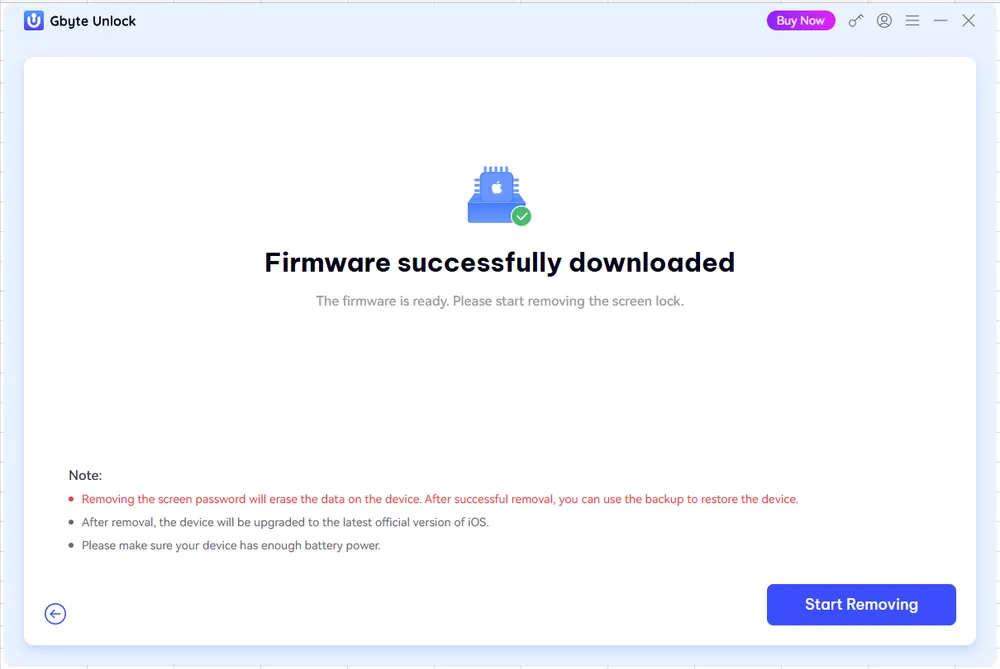
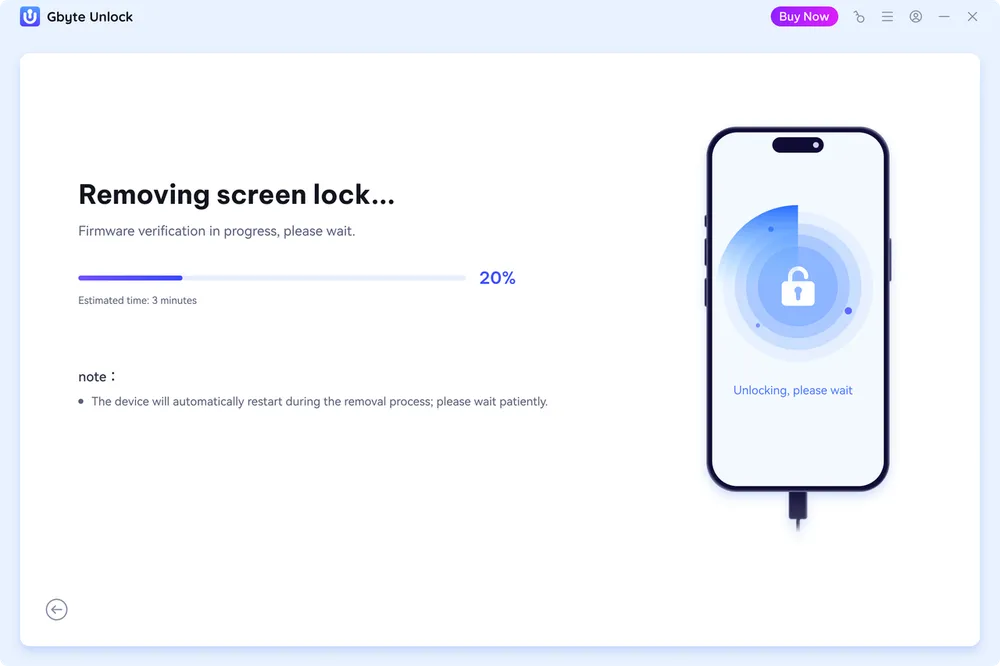
After the firmware was verified, Gbyte Unlock continued with the screen passcode removal process. The software displayed the current progress clearly, so I could easily understand which stage the unlocking process had reached.
After the process was completed, the iPhone was successfully unlocked and I was able to continue setting up the device.
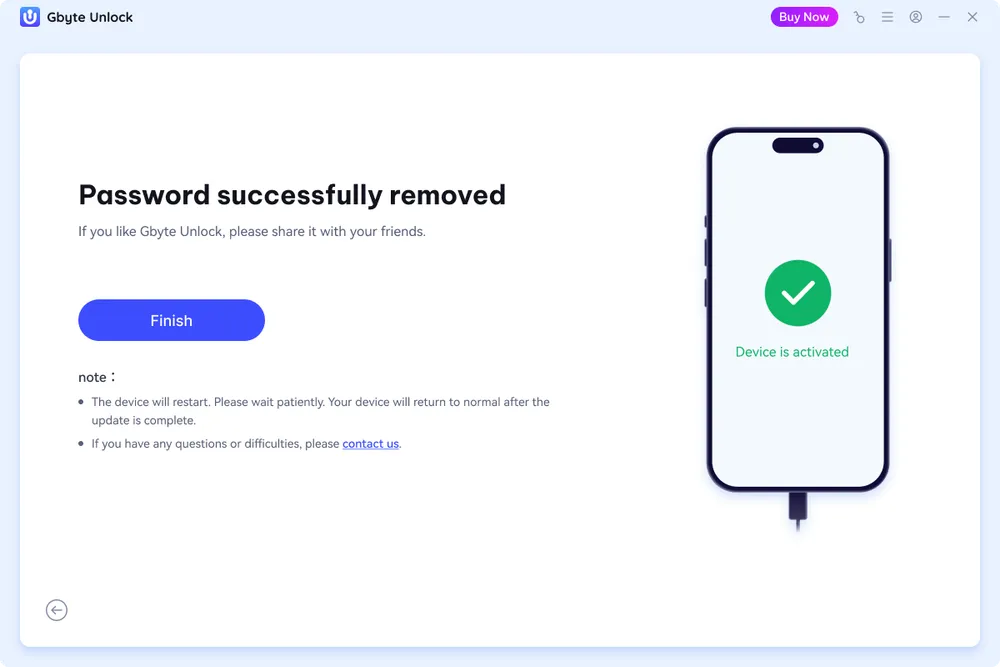
The entire workflow was well organized, with each step clearly separated from device detection to firmware preparation and passcode removal. The firmware download took the most time, but after verification was completed, the unlocking process finished smoothly.
Gbyte Unlock performed well in the main scenario I tested — removing a forgotten iPhone screen passcode. The workflow was straightforward, and the software guided me through each step without requiring advanced technical knowledge.

What Worked Well
Simple unlocking workflow
The process was easy to follow, with clear instructions from device connection to the final unlock step.
Focused on the core unlocking experience
Gbyte Unlock focuses on the most common iPhone unlocking needs instead of overwhelming users with unnecessary features. This makes the overall process more straightforward for users who simply need to regain access to a locked iPhone.
Smooth testing experience
During my test, the software detected the device correctly and completed the screen passcode removal process successfully.
Things to Keep in Mind
Keep the device connected
The unlocking process requires continuous communication between the iPhone and computer. Keeping the device connected throughout the process helps avoid unexpected interruptions.
Firmware download takes a few minutes —
In our test the download took 6 minutes. Time varies with file size and network speed.
Gbyte Unlock offers three subscription options, allowing users to choose a plan based on how often they need to unlock iPhones. All plans provide access to the unlocking features and support up to 5 mobile devices on 3 PCs.
Plan | Price |
Monthly | $25.99 |
Yearly | $39.99 |
Lifetime | $49.99 |
For users who only need to unlock an iPhone occasionally, the monthly plan provides a flexible option without a long-term commitment. The yearly and lifetime plans offer better value for users who may need unlocking services more than once.
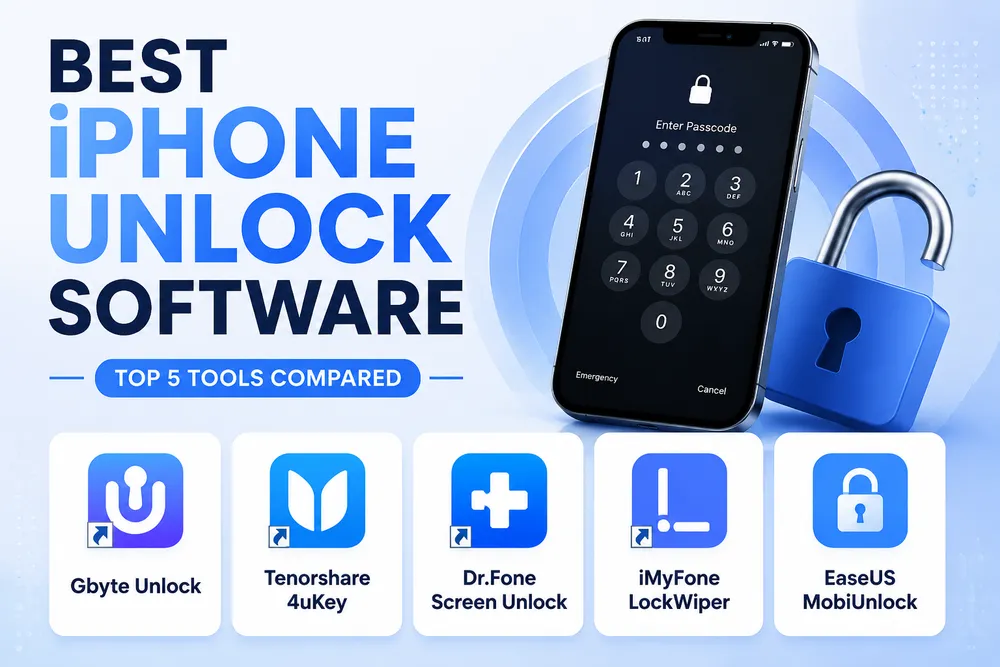
At $25.99 to start, Gbyte Unlock sits below 4uKey ($35.95) and Dr.Fone ($34.95) for the same core function.
When choosing an iPhone unlocking tool, users usually compare not only features but also pricing, workflow, and the type of unlocking experience they need. Compared with some well-known tools like 4uKey and Dr.Fone, Gbyte Unlock takes a more focused approach by concentrating on essential iPhone unlocking needs.
Gbyte Unlock | 4uKey | Dr.Fone Screen Unlock | |
Main Focus | iPhone screen passcode removal | Multiple iPhone unlocking scenarios | Multiple device unlocking features |
Unlock Workflow | Simple guided process | Guided unlocking process | Guided unlocking process |
Pricing | Starting at $25.99 | Starting at $35.95 | Starting at $34.95 |
Best For | Users who mainly need iPhone passcode removal | Users who need additional unlocking features | Users looking for an all-in-one device repair solution |
While 4uKey and Dr.Fone provide broader feature coverage, Gbyte Unlock focuses on keeping the unlocking process simple for users who mainly need to remove a forgotten iPhone passcode. For users who do not need a large number of additional features, a more focused tool can be a practical option.
What this test covers: Screen passcode removal on one device and one iOS version. Gbyte Unlock is built for this scenario specifically — we did not test other lock types, and results can differ across iPhone models and iOS versions.
Gbyte Unlock is a practical option for users who mainly need to regain access to a locked iPhone. During my testing, it successfully removed the screen passcode from my test device, and the overall process was straightforward without unnecessary steps.
Compared with tools that include a wider range of unlocking features, Gbyte Unlock focuses on solving the core unlocking problem with a simpler workflow and more affordable pricing. For users who need a dedicated iPhone passcode removal solution, it is worth considering before making a decision.
Yes. During my test, Gbyte Unlock successfully removed the screen passcode from my locked iPhone. However, the final result may vary depending on the device model, iOS version, and specific situation.
Gbyte Unlock is designed to guide users through the unlocking process without requiring advanced technical knowledge. Users should download the software from the official website and follow the instructions carefully during the process.
Yes. Removing a forgotten screen passcode requires erasing the device. If you have a backup available, you can restore your data after completing the unlocking process.
The free version lets you install the software and confirm your device is detected and supported. Completing the unlock requires a paid plan, starting at $25.99.
Gbyte Unlock supports iPhone 6 through iPhone 17, running iOS versions up to iOS 26. Check the official compatibility list if your device is older or running a beta version.
 Add Gbyte as a preferred source on Google
Share


Related articles


Copyright ©2026 Gbyte. All rights reserved. Gbyte’s software is not developed by or affiliated with Apple Inc.
The installation wizard will automatically start after downloading.
After registration, the recovery process can be managed through the web interface.
You get it all with your purchase - no locked features, no hidden limitations.